
Creating stunning visuals used to require years of design experience and expensive software. Not anymore. AI image generators have democratized digital art, allowing anyone to create professional-quality images from simple text descriptions in seconds.
But with dozens of AI image tools flooding the market in 2026, which one should you actually use? After testing every major platform and generating over 10,000 images, I’ve created this comprehensive guide to help you choose the perfect AI image generator for your needs.
Whether you’re a content creator, marketer, designer, or just curious about AI art, this guide breaks down everything you need to know about the best AI image generators available today.
🎨 New to AI tools? Check out our Ultimate AI Tools Directory
for a complete overview of all AI platforms.
Quick Comparison: Top 5 AI Image Generators at a Glance
| Tool | Best For | Starting Price | Free Trial | Quality |
|---|---|---|---|---|
| Midjourney | Professional art & concept design | $10/month | No | ⭐⭐⭐⭐⭐ |
| DALL-E 3 | Photorealistic images | $20/month | Limited | ⭐⭐⭐⭐⭐ |
| Stable Diffusion | Customization & control | Free | Yes | ⭐⭐⭐⭐ |
| Adobe Firefly | Commercial use | $4.99/month | Yes | ⭐⭐⭐⭐ |
| Leonardo.AI | Game assets | Free tier | Yes | ⭐⭐⭐⭐ |
💡 Quick Navigation:
- What Are AI Image Generators?
- Best Paid Tools
- Best Free Tools
- Comparison by Use Case
- How to Choose
- Tips for Getting Better Results from AI Image Generators
- Common Issues & How to Fix Them
- The Future of AI Image Generation
- FAQs
- Final Verdict: Which AI Image Generator Should You Choose?
- Getting Started Today
- Conclusion
- Learn More From Our Lattes Articles
What Are AI Image Generators?
AI image generators are software tools that create original images from text descriptions (called “prompts”). Using advanced machine learning models trained on billions of images, these tools understand the relationship between words and visual concepts, allowing them to generate entirely new images that match your description.
Think of it as having a professional designer who can instantly visualize any idea you describe—except it’s powered by artificial intelligence and costs a fraction of traditional design services.
READ NEXT: Best AI Video Generators guide →
How Does AI Image Generation Work?
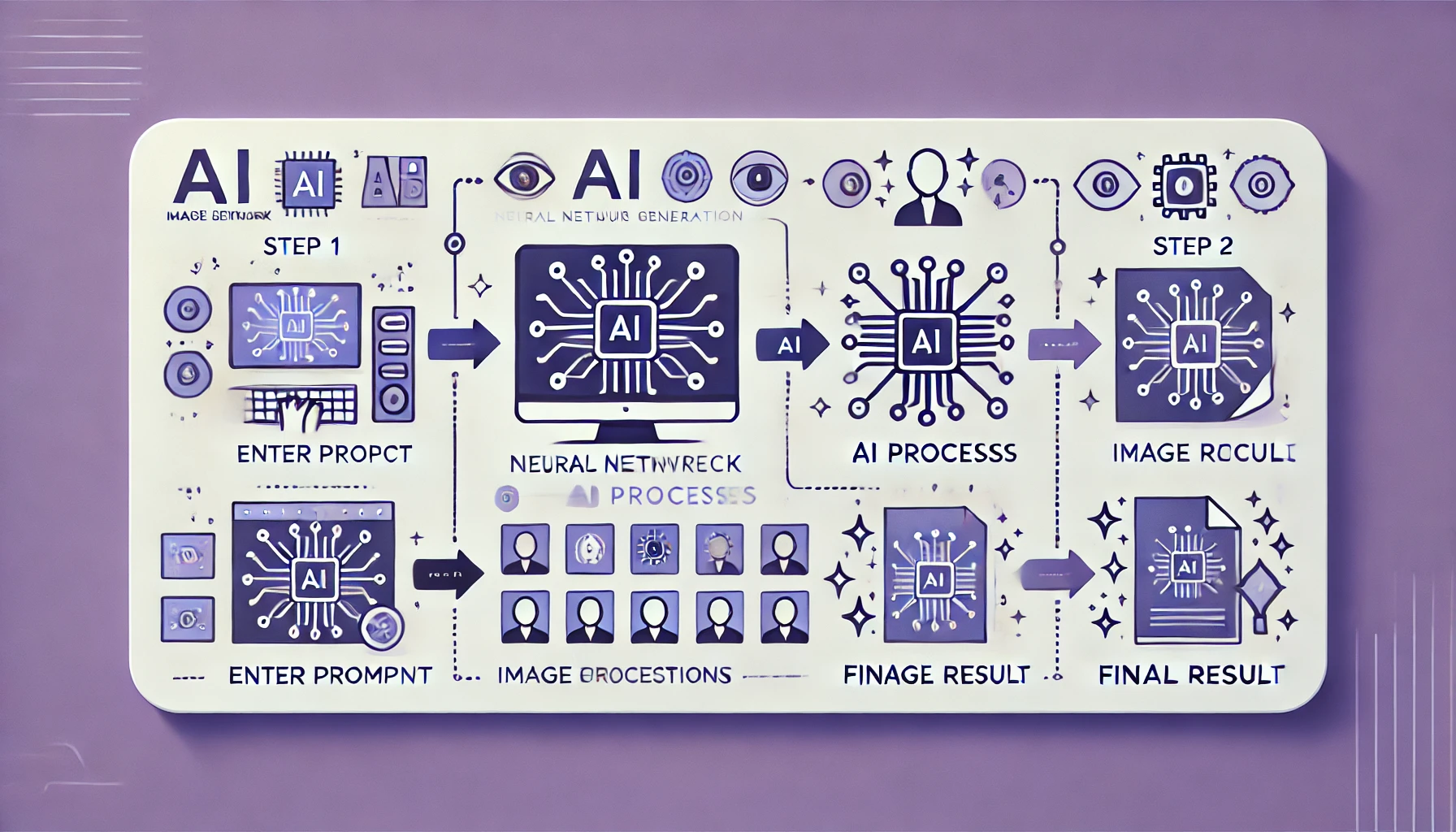
The technology behind most AI image generators relies on diffusion models or transformer architectures:
🔬 Diffusion Models (like Stable Diffusion, Midjourney):
- Start with random noise
- Gradually refine the noise based on your text prompt
- Continue refining until a clear image emerges
- Process typically takes 10-60 seconds
🧠 Transformer Models (like DALL-E):
- Analyze your text prompt
- Break it down into visual concepts
- Generate the image in one step
- Typically faster (5-20 seconds)
You don’t need to understand the technical details—just know that these AI tools are incredibly powerful and getting better every month.
🔍 Want to verify if content is AI-generated? Our Best AI Detectors guide shows you how to spot AI-created content.
💎 Best Paid AI Image Generators
1. Midjourney – Best Overall Quality
Rating: ⭐⭐⭐⭐⭐ (5/5)
Price: From $10/month
Best For: Professional artists, game developers, marketing teams
What Makes It Special:
Midjourney consistently produces the most aesthetically stunning images of any AI generator. (Visit the Midjourney review). The artistic quality, composition, and attention to detail are exceptional, making it the go-to choice for professional artists, game developers, and anyone who needs truly beautiful imagery. All this is seting this tool as one of the best AI art generator.
Pricing Options:
- Basic Plan: $10/month (200 images)
- Standard Plan: $30/month (unlimited relaxed mode)
- Pro Plan: $60/month (unlimited fast mode + stealth mode)
✅ Pros
- Highest artistic quality in the industry
- Consistent, professional results
- Strong community for learning
- Commercial rights included (paid plans)
- Unique art styles – Particularly strong with fantasy and concept art
- Remix mode – Easily iterate and modify generated images
❌ Cons
- No free trial available
- Requires Discord (not standalone app)
- Learning curve for advanced features
- Less photorealistic than DALL-E 3
💡 Best For: Digital artists and illustrators, game developers and concept artists, marketing teams needing eye-catching visuals, anyone prioritizing artistic quality over photorealism.
For more AI tool comparisons, see our Midjourney vs DALL-E vs Stable Diffusion comparison guide.
2. DALL-E 3 (via ChatGPT Plus) – Best for Photorealism
Rating: ⭐⭐⭐⭐⭐ (5/5)
Price: $20/month (ChatGPT Plus)
Best For: Content creators, businesses, social media managers
What Makes It Special:
DALL-E 3, OpenAI’s latest photorealistic AI image generator, excels at creating photorealistic images that look like they could have been taken with a camera. Its integration with ChatGPT Plus means you can have conversational refinements, making it incredibly intuitive to use.
Pricing:
- ChatGPT Plus: $20/month (includes GPT-4o + DALL-E 3)
- API access: Pay-per-image (starts at $0.04/image)
✅ Pros
- Best photorealism available
- Seamless ChatGPT integration
- Can render text accurately
- Very intuitive interface
- Fast generation speed
- Safety features – Strong content filters for brand safety
❌ Cons
- Requires ChatGPT Plus subscription
- Limited to 50 messages per 3 hours
- Strict content policies
- Less artistic/stylized than Midjourney
For more AI tool comparisons, see our Midjourney vs DALL-E vs Stable Diffusion comparison guide.
💡 Best For: Content creators needing realistic imagery, business presentations and marketing materials, social media managers, anyone already using ChatGPT regularly.
🤖 Curious about ChatGPT alternatives? Read our Best AI Chat Tools comparison.
Try DALL-E 3 with ChatGPT Plus →
3. Adobe Firefly – Best for Commercial Use
Rating: ⭐⭐⭐⭐ (4/5)
Price: From $4.99/month
Best For: Professional designers, agencies, businesses
What Makes It Special:
Adobe Firefly is specifically designed AI image generator for commercial use, trained only on licensed content, Adobe Stock, and public domain images. This means you can use generated images in commercial projects without copyright concerns—a huge advantage for businesses.
Pricing:
- Free tier: 25 monthly credits
- Premium Plan: $4.99/month (100 monthly credits)
- Creative Cloud: Included with Photoshop/Illustrator subscriptions
✅ Pros
- Legal safety guaranteed
- Adobe Creative Cloud integration
- Commercial rights clear
- Affordable pricing
- Generative Fill – Edit specific parts of images
❌ Cons
- Smaller model than competitors
- Less variety in artistic styles
- Credit system can be limiting
- Lower quality than Midjourney/DALL-E
💡 Best For: Professional designers and agencies, businesses needing commercial rights, Adobe Creative Cloud users, marketing teams with legal compliance needs.
4. Leonardo.AI – Best for Game Assets & Consistency
Rating: ⭐⭐⭐⭐ (4/5)
Price: Free tier available, paid from $12/month
Best For: Game developers, character designers
What Makes It Special:
Leonardo.AI specializes in creating consistent character designs and AI image generator for game assets. Its “Character Reference” and “Style Reference” features allow you to maintain visual consistency across multiple generations—crucial for game development and branded content.
Pricing:
- Free tier: 150 daily credits
- Apprentice: $12/month (8,500 credits/month)
- Artisan: $30/month (25,000 credits/month)
- Maestro: $60/month (60,000 credits/month)
✅ Pros
- Character consistency unmatched
- Generous free tier (150 daily credits)
- Game-focused features
- 3D texture support
- Custom model training
❌ Cons
- Complex interface for beginners
- Less photorealistic than DALL-E 3
- Public community feed (privacy concern)
- Steeper learning curve
💡 Best For: Game developers and indie studios, character designers, NFT creators, anyone needing consistent visual identity across multiple images.
5. Ideogram – Best for Text in Images
Rating: ⭐⭐⭐⭐ (4/5)
Price: From $8/month
Best For: Graphic designers, social media content
What Makes It Special:
Ideogram has mastered something other AI generators struggle with: rendering accurate text within images. Need a poster, logo, or any design with readable text? Ideogram is your best bet in 2026 if you need AI image generator with text.
Pricing:
- Free tier: 25 images/day (slow queue)
- Basic: $8/month (400 images/month)
- Plus: $20/month (1,000 images/month)
- Pro: $48/month (3,000 images/month)
✅ Pros
- Accurate text rendering – Actually readable text in images
- Typography focus – Great for posters, logos, signs
- Magic Prompt – AI enhances your basic prompts
- Remix feature
❌ Cons
- Stylistic variety is more limited than Midjourney
- Text can still occasionally glitch
💡 Best For: Graphic designers, social media content with text overlays, logo design and branding, educational materials and presentations.
🆓 Best Free AI Image Generators
Don’t want to pay? These free AI image generators offer impressive quality at zero cost:
1. Stable Diffusion – Best Free Option for Power Users
Why It’s Great: Stable Diffusion is completely open-source, meaning you can run it for free on your own computer or use various free web interfaces. It offers the most control and customization of any AI image generator.
Free Options: Stability.AI website, DreamStudio (credits), Hugging Face Spaces, Google Colab, or Local installation.
💡 Best For: Tech-savvy users, developers, anyone wanting complete control and unlimited free generation.
Check the Stable Diffusion review →
2. Microsoft Bing Image Creator (DALL-E 3) – Best Free for Everyone
Why It’s Great: Microsoft integrated DALL-E 3 into Bing for free! You get access to the same technology powering ChatGPT Plus without paying $20/month. This is one of the best free AI image generators available in 2026.
Features: Uses DALL-E 3 technology, 15 “boosts” per day (fast generation), Unlimited slower generations.
💡 Best For: Casual users, students, anyone wanting DALL-E 3 quality for free.
3. Leonardo.AI Free Tier
150 daily credits is incredibly generous and enough for 30-50 images per day depending on settings. Already covered in detail above, but worth mentioning as one of the best free AI tools.
4. Playground AI – High Volume Free Option
Features: 1,000 images per day (free tier), Multiple models available, Easy-to-use interface, Commercial use allowed on free tier.
💡 Best For: High-volume users who need lots of images fast without paying.
5. Craiyon (formerly DALL-E Mini)
Features: Completely free, unlimited use, No sign-up required. Limitation: Lower quality than modern alternatives.
💡 Best For: Quick sketches, memes, casual experimentation.
READ NEXT: Other Free Intelligent AI Tool: Meta AI ⮕
AI Image Generators Compared by Use Case
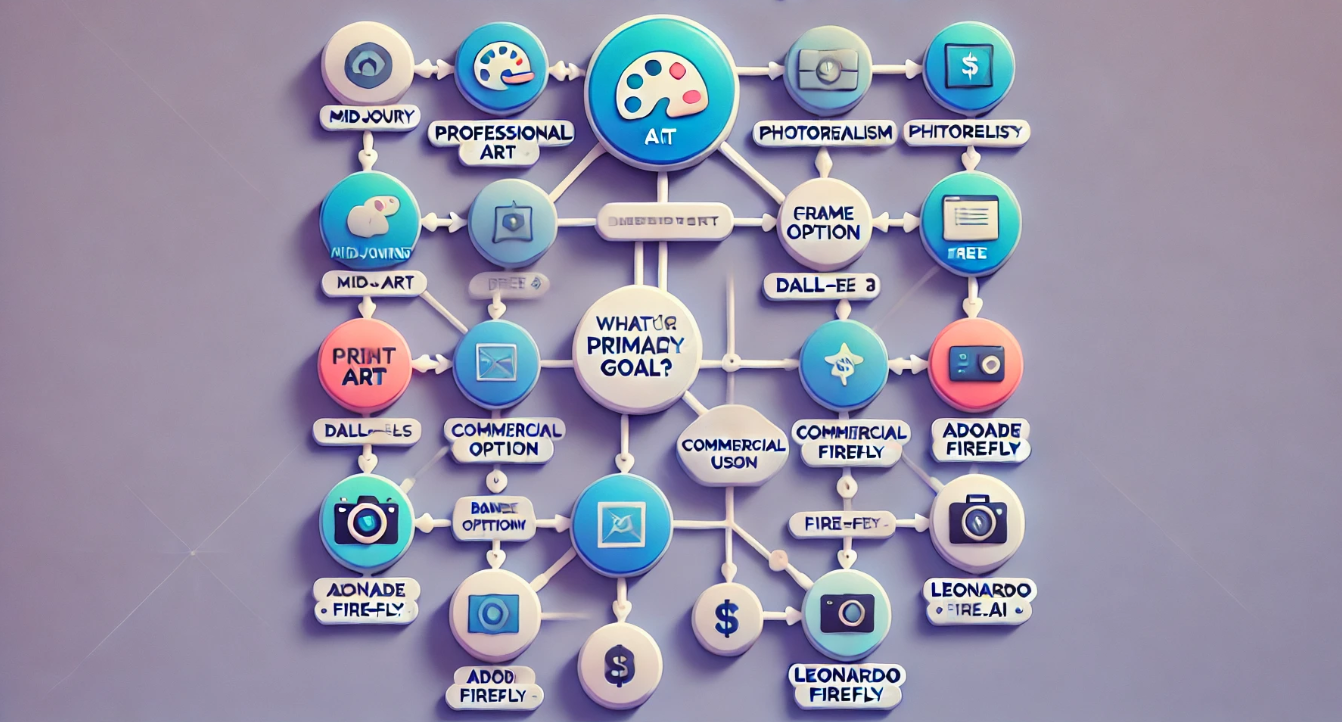
Not sure which AI image generator fits your needs? Here’s a breakdown by use case:
👨🎨 For Professional Creators
Winner: Midjourney
- Highest quality output
- Versatile artistic styles
- Professional community
Runner-up: DALL-E 3
🏢 For Small Businesses
Winner: Adobe Firefly
- Commercial safety guaranteed
- Affordable pricing
- Integration with design tools
Runner-up: Canva AI
🎮 For Game Developers
Winner: Leonardo.AI
- Character consistency features
- 3D texture generation
- Game asset templates
Runner-up: Midjourney
🎓 For Students & Educators
Winner: Bing Image Creator
- Free DALL-E 3 access
- No cost barrier
- Easy to use
READ ALSO: Best AI Tools for Students 2026: Top 10 Tools for Essays, Research & Studying
Runner-up:Leonardo.ai Free
📱 For Social Media Managers
Winner: DALL-E 3
- Fast generation speed
- Conversational editing
- Photorealistic results
Runner-up: Ideogram
🎨 For Hobbyists
Winner: Stable Diffusion
- Completely free
- Unlimited experimentation
- Learn AI fundamentals
Runner-up: Playground AI
🤔 How to Choose the Right AI Image Generator
Ask yourself these questions to find your perfect match:
- What’s your budget? Under $20/month (DALL-E 3, Firefly) or Free (Bing, Leonardo).
- What’s your skill level? Beginner (Bing, DALL-E 3) vs Technical (Stable Diffusion).
- What will you use images for? Social Media, Commercial Projects, or Game Dev.
- How many images do you need? Occasional vs High Volume.
💡 Tips for Getting Better Results from AI Image Generators
1. Write Detailed Prompts
❌ Bad: “A cat”
✅ Good: “A fluffy orange tabby cat sitting on a windowsill, golden hour lighting, photorealistic, shallow depth of field, 4K quality”
2. Use Style Modifiers
Add keywords like: “photorealistic”, “oil painting”, “digital art”, “anime style”, “watercolor”, “cinematic lighting”.
3. Specify Technical Details
Include lighting (golden hour), camera angle (close-up), composition (rule of thirds), and quality (4K, sharp focus).
4. Use Negative Prompts:
Tell the AI what NOT to include: “no watermarks”, “not blurry”, “no distorted faces”, “no extra limbs”.
5. Iterate and Refine
Don’t expect perfection on the first try. Generate, identify issues, adjust the prompt, and repeat.
🎯 Pro Tip: Study other users’ prompts in community galleries to learn effective techniques.
Common Issues & How to Fix Them
- Images Look Generic? Add specific details, reference artists or styles.
- Text Looks Like Gibberish? Use Ideogram, or try DALL-E 3 with explicit text instructions.
- Faces Look Distorted? Add “high quality faces,” increase generation steps, use “face fix” features.
- Too Expensive? Start with generous free tiers (Leonardo.AI, Bing Image Creator).
The Future of AI Image Generation
What’s Coming in 2026? Expect Video Generation Integration, Real-Time Generation (live editing), 3D Model Generation, better consistency, and lower costs.
READ ALSO: Synthesia for the Best Video AI Avatar or Pictory for Best for Blog-to-Video Conversion
❓ Frequently Asked Questions
Are AI-generated images copyrightable?
This is still evolving legally. Currently, you can copyright AI images with significant human creative input, but purely AI-generated images have limited protection. Commercial use varies by platform—always check terms of service.
Can I use AI-generated images commercially?
Depends on the tool. Yes with paid plans: Midjourney, Adobe Firefly, Leonardo.AI. Check specific terms: DALL-E 3 and free tools. Always verify: Read the platform’s terms of service before commercial use.
Will AI image generators replace designers?
No. AI tools augment designers, they don’t replace them. Think of them like Photoshop—powerful tools that still require human creativity and judgment. Designers who learn to use AI effectively will have a competitive advantage.
Which AI image generator is best for beginners?
Bing Image Creator (free) or DALL-E 3 via ChatGPT (paid) are most beginner-friendly due to their conversational interfaces and simple prompting.
Can AI detect other AI-generated images?
Yes, but not perfectly. Tools exist to detect AI images, but they’re not 100% accurate. Most AI generators add invisible watermarks to track their images.
🔍 To find out which software is the most accurate, check out our full guide on the best AI detection tools.
Do I need coding skills to use AI image generators?
Not for most tools. Midjourney, DALL-E 3, Adobe Firefly, and others require zero coding. Only self-hosted Stable Diffusion benefits from technical knowledge.
How do I avoid generating copyrighted content?
Use tools trained on licensed data (Adobe Firefly), don’t reference copyrighted characters, avoid celebrity names, and use generic descriptions.
Final Verdict: Which AI Image Generator Should You Choose?
🥇 Best Overall: Midjourney
If image quality matters most and you’re willing to pay, Midjourney delivers the most consistently stunning results. The artistic quality is unmatched ($10-60/month).
💎 Best Value: ChatGPT Plus
Get DALL-E 3image generation PLUS the best AI chatbot ($20/month). Perfect for content creators who need both writing and image assistance.
🆓 Best Free Option: Bing Image Creator
Full DALL-E 3 technology at no cost. The best free AI image generator available in 2026 for casual users. (Read the full review)
🏢 Best for Business: Adobe Firefly
Legal safety and Creative Cloud integration make this the smart choice for commercial use without copyright worries ($4.99/month).
💬 Want to compare AI chatbots?
Getting Started Today
Ready to create your first AI image? Here’s your action plan:
- Complete Beginner: Visit Bing Image Creator and type a simple prompt.
- Ready to Pay: Sign up for Midjourney, join Discord, and use /imagine.
- Commercial Use: Try Adobe Firefly free trial and verify commercial terms.
Conclusion
AI image generation has matured from a novelty to an essential creative tool. Whether you’re a professional designer, content creator, marketer, or just someone who loves making art, there’s an AI image generator perfect for your needs and budget.
The tools reviewed in this guide represent the best AI image generators available in 2026, but the field is evolving rapidly. My recommendation: start with a free tool to learn the basics, then invest in a paid option once you understand your specific needs.
The future of visual content creation is here—and it’s more accessible than ever. From free AI image generators to professional-grade paid platforms, you have more options than ever to bring your creative visions to life.
What will you create today?
Try These AI Image Generators Now
Ready to start creating? Click below to try our top recommendations: