Want to create professional AI-generated images without spending a dime? You’re in luck. The free AI image generator landscape in 2026 is more impressive than ever, with tools like Bing Image Creator offering DALL-E 3 technology at zero cost and platforms like Leonardo.AI providing 150 free daily credits.
But here’s the reality: not all free AI image generators are created equal. Some have strict daily limits, others sacrifice quality for accessibility, and a few hide restrictions in the fine print. After testing every major free platform and generating thousands of images without spending a cent, I’ve created this honest guide to help you find the best no-cost options for your needs.
Whether you’re a student on a budget, a hobbyist exploring AI art, or a small business testing the waters before investing, this guide breaks down exactly what you can achieve with free AI image tools—and what limitations you’ll face.
🎨 Looking for premium options? Check out our comprehensive Best AI Image Generators guide for paid tools comparison.
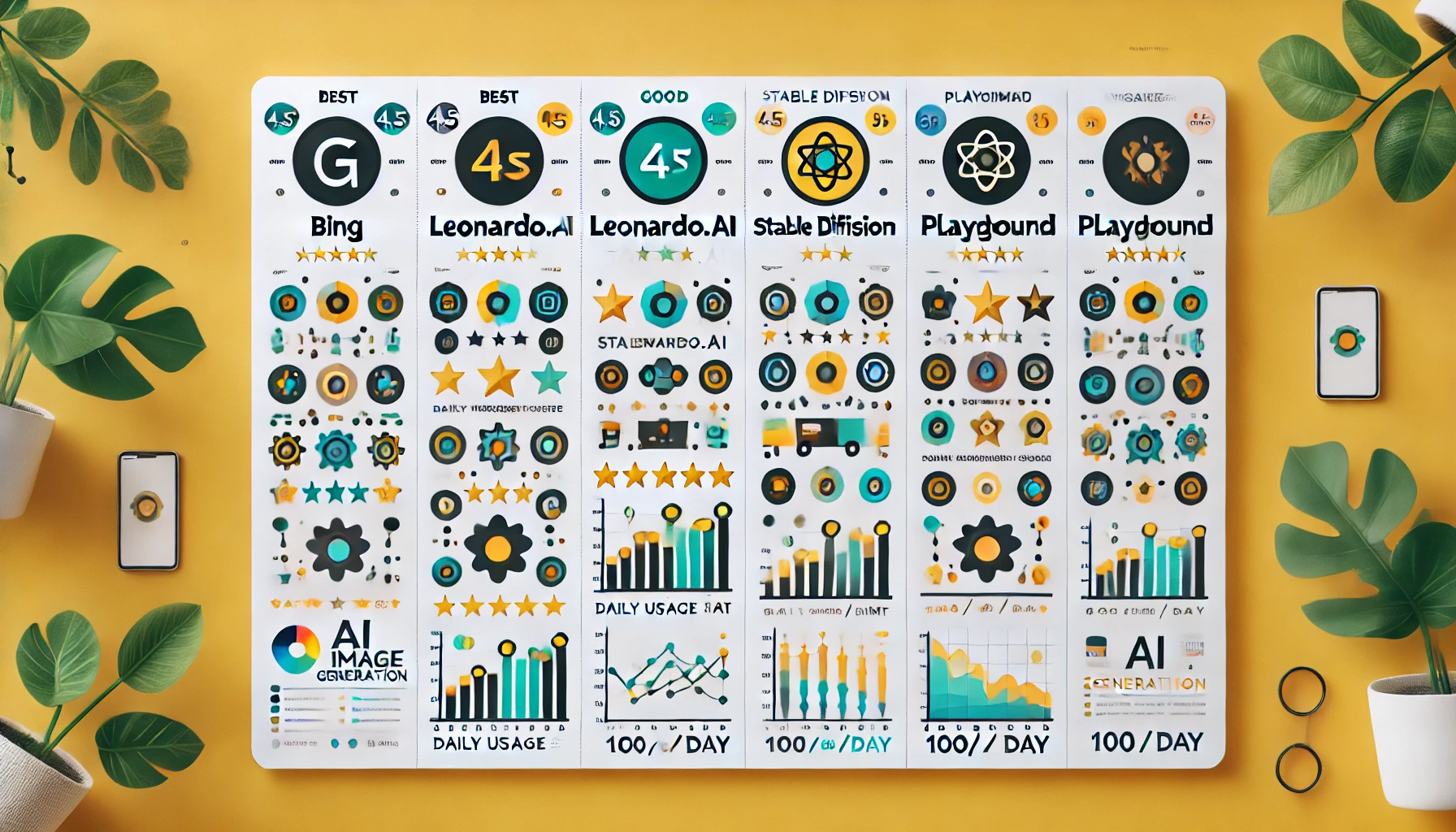
Quick Comparison: Top 5 Free AI Image Generators
| Tool | Daily Limit | Quality | Best For | Signup Required |
|---|---|---|---|---|
| Bing Image Creator | 15 fast / unlimited slow | ⭐⭐⭐⭐⭐ | Everyone | Optional |
| Leonardo.AI | 150 credits (~50 images) | ⭐⭐⭐⭐ | Consistency | Yes |
| Stable Diffusion | Unlimited (self-hosted) | ⭐⭐⭐⭐ | Power users | No |
| Playground AI | 1,000 images/day | ⭐⭐⭐ | High volume | Yes |
| Craiyon | Unlimited | ⭐⭐ | Quick tests | No |
Quick Navigation:
- Top 10 Free Tools Reviewed
- Free vs Paid Comparison
- How to Maximize Free Tools
- Limitations to Know
- Frequently Asked Questions
Top 10 Free AI Image Generators (Detailed Reviews)
1. Bing Image Creator – Best Free Option Overall
Rating: ⭐⭐⭐⭐⭐ (5/5 for free tier)
Daily Limit: 15 fast generations, unlimited slow mode
Technology: DALL-E 3 (same as ChatGPT Plus)
Best For: Everyone—students, hobbyists, professionals testing AI
Why It’s the Best Free Option:
Bing Image Creator is hands-down the best free AI image generator available in 2026. Microsoft integrated OpenAI’s DALL-E 3 technology directly into Bing, giving you access to the same powerful model that costs $20/month via ChatGPT Plus—completely free.
What You Get Free:
- 15 “boosts” daily for fast generation (30-60 seconds)
- Unlimited slower generations (takes 2-5 minutes)
- DALL-E 3 quality – photorealistic, understands complex prompts
- No watermarks on generated images
- No sign-up required (though Microsoft account recommended)
- Commercial use allowed with Microsoft account
Limitations:
- Stricter content policies than paid alternatives
- Boosts reset every 24 hours (not per day at midnight)
- Slower generation after boosts run out
- Occasional downtime during peak hours
💡 Pro Tip: Use your boosts for complex, detailed prompts that benefit from DALL-E 3’s understanding. Save simpler requests for slow mode.
2. Leonardo.AI Free Tier – Best for Consistent Characters
Rating: ⭐⭐⭐⭐ (4/5 for free tier)
Daily Limit: 150 credits (~30-50 images depending on settings)
Technology: Proprietary models + Stable Diffusion variants
Best For: Game developers, character designers, anyone needing consistency
Why It Stands Out:
Leonardo.AI offers the most generous free tier among specialized AI image generators. With 150 daily credits, you can create 30-50 quality images per day—far more than most free alternatives. The platform excels at character consistency and game asset creation.
Free Tier Features:
- 150 daily credits (refreshes every 24 hours)
- Character Reference – maintain same character across poses
- Multiple models – different styles and specializations
- Real-time canvas – live editing and iteration
- Community models – thousands of custom styles
- Image guidance – use reference images
Limitations:
- Signup required (email verification needed)
- Public generations (visible to community)
- No commercial use on free tier
- Complex interface with learning curve
Credit Usage Guide:
- Standard generation: 3-5 credits
- High resolution: 8-10 credits
- Multiple images: 5-8 credits per image
💡 Best Practice: Generate at standard resolution during testing, then use a single high-res generation for your final pick to maximize your daily credits.
3. Stable Diffusion – Best for Unlimited Free Generation
Rating: ⭐⭐⭐⭐ (4/5 for technical users)
Daily Limit: Unlimited (if self-hosted)
Technology: Open-source diffusion model
Best For: Developers, tech-savvy users, unlimited experimentation
Why It’s Powerful:
Stable Diffusion is completely open-source, meaning you can run it locally on your computer for truly unlimited, free image generation. No subscriptions, no daily limits, no restrictions—just pure creative freedom.
Free Access Options:
- Self-hosted (unlimited) – Requires GPU (8GB+ VRAM)
- DreamStudio – 25 free credits (web interface)
- Hugging Face Spaces – Free but slower, queue-based
- Google Colab – Free GPU access with setup
- Stability.AI – Limited free generations on official site
What Makes It Special:
- Complete control – Adjust every parameter
- Custom models – Thousands of fine-tuned versions
- Extensions – ControlNet, inpainting, upscaling
- No content restrictions (use responsibly)
- Privacy – Images never leave your computer
Limitations:
- Technical setup required for local use
- Needs decent hardware (GPU recommended)
- Steeper learning curve than web tools
- Web interfaces have long queues
💡 Recommendation: If you’re non-technical, use Hugging Face Spaces for free access. If you have a gaming PC with a good GPU, self-hosting gives you unlimited power. For the detailed AI tool comparisons, see our Midjourney vs DALL-E vs Stable Diffusion comparison guide.
Try Stable Diffusion Free Tier →
4. Playground AI – Best for High Volume Free Generation
Rating: ⭐⭐⭐ (3/5 for free tier)
Daily Limit: 1,000 images per day
Technology: Multiple models including SDXL
Best For: High-volume creators, rapid iteration, testing variations
Impressive Free Allowance:
Playground AI offers an incredibly generous 1,000 free images per day—more than almost any other platform. This makes it perfect for users who need to generate many variations or test different prompts extensively.
Free Features:
- 1,000 daily images (reset at midnight UTC)
- Multiple models – SDXL, Playground v2, others
- Canvas editor – Edit and refine generations. Try Canva AI now →
- Image mixing – Combine multiple images
- Filters and effects – Post-generation editing
- Commercial use – Allowed on free tier
Limitations:
- Lower quality than DALL-E 3 or Midjourney
- Public generations by default
- Slower generation during peak times
- Less consistent results
💡 Use Case: Perfect for batch generating social media content, testing prompt variations, or creating large sets of reference images.
5. Craiyon (DALL-E Mini) – Best for Quick No-Signup Tests
Rating: ⭐⭐ (2/5 quality, 5/5 accessibility)
Daily Limit: Unlimited
Technology: DALL-E Mini (older model)
Best For: Quick tests, memes, casual experimentation
Maximum Accessibility:
Craiyon (formerly DALL-E Mini) is the most accessible free AI image generator. No signup, no limits, just instant generation. While quality lags behind modern alternatives, it’s perfect for quick ideas and casual use.
What You Get:
- Unlimited generations – No daily cap
- No account required – Start creating immediately
- Simple interface – Type prompt and click
- Fast enough – Results in 60-90 seconds
- Nine variations – per generation
Limitations:
- Significantly lower quality than modern tools
- Contains ads (can be disruptive)
- Low resolution output
- Less accurate prompt understanding
- Frequent errors and distortions
💡 Best Use: Sketch rough concepts before using better tools, create meme templates, or test if an idea is worth pursuing with higher-quality generators.
6. Hugging Face Spaces – Best Free Access to Multiple Models
Rating: ⭐⭐⭐⭐ (4/5 for variety)
Daily Limit: Varies by space (generally unlimited but slow)
Technology: Hundreds of different models
Best For: Experimenting with different AI models, developers
Model Playground:
Hugging Face hosts hundreds of free AI image generation models in interactive “Spaces.” This gives you free access to Stable Diffusion, FLUX, and countless specialized models—all without installation.
Available Free:
- Stable Diffusion XL – Latest high-quality model
- FLUX – Newer open model with great quality
- Specialized models – Anime, portraits, landscapes
- Community models – Thousands of custom trained versions
- No signup – For most spaces
Limitations:
- Queue-based system can be slow
- Popular spaces have long wait times
- Less user-friendly interface
- No image history saved
💡 Pro Tip: Look for less popular spaces running the same models—shorter queues, same quality.
7. Adobe Express (formerly Adobe Spark) – Best Free for Quick Edits
Rating: ⭐⭐⭐ (3/5 for AI features)
Daily Limit: Limited free operations
Technology: Adobe Firefly (limited version)
Best For: Quick graphic design with AI assists
Design-Focused AI:
Adobe Express offers limited free access to Firefly AI features, integrated with design tools. While not a pure AI image generator, it’s great for AI-assisted graphic design.
Free Features:
- Text to template – AI suggests layouts
- Background removal – AI-powered cutouts
- Limited Firefly access – Some generative AI
- Design templates – AI-assisted customization
💡 Best For: Users who need AI-assisted design more than pure AI generation.
Explore Adobe Express Spaces →
8. Canva AI – Best Free for Integrated Design Workflow
Rating: ⭐⭐⭐ (3/5 for AI)
Daily Limit: 50 free AI operations/month
Technology: Canva’s proprietary AI + partnerships
Best For: Social media content, quick graphics with AI elements
All-in-One Platform:
Canva’s free tier includes limited AI image generation integrated into their design platform. Perfect if you already use Canva and want AI features without leaving the ecosystem.
Free AI Features:
- Magic Media – Text to image (50 uses/month)
- Background Remover – AI cutouts
- Magic Edit – AI photo editing
- Templates – Thousands of free designs
Limitations:
- Only 50 AI generations per month on free plan
- Lower quality than specialized AI generators
- Limited customization options
- Canva branding on some exports
💡 Use Case: Great for occasional AI image needs within a design workflow, not for pure AI generation.
9. Pixlr AI – Best Free for Photo Editing with AI
Rating: ⭐⭐⭐ (3/5 for generation)
Daily Limit: Limited free credits
Technology: Pixlr’s AI engine
Best For: AI-assisted photo editing and enhancement
Editor-First Approach:
Pixlr focuses on AI-powered photo editing rather than pure generation. The free tier includes some generative AI features alongside powerful editing tools.
Free Features:
- AI image generation – Limited uses
- AI background generation – Replace backgrounds
- AI enhancement – Upscaling, restoration
- Photo editing – Full suite of tools
10. NightCafe – Best Free for Art Styles and Community
Rating: ⭐⭐⭐ (3/5 for free tier)
Daily Limit: 5 free credits daily
Technology: Multiple models (Stable Diffusion, DALL-E 2)
Best For: Artistic styles, community challenges
Community-Driven Platform:
NightCafe offers daily free credits and a vibrant community. While the free tier is limited, you can earn bonus credits through community participation.
Free Credits System:
- 5 daily credits – Automatic
- Earn more – Community participation, challenges
- Multiple models – Different styles available
- Community gallery – Learn from others
Limitations:
- Only 5 credits per day (1-2 images)
- Must participate actively to earn more
- Lower priority queue on free tier
💡 Tip: Engage with the community to earn bonus credits—likes, comments, and challenges all contribute.
Free vs Paid: What You’re Actually Missing
Let’s be honest about the trade-offs between free and paid AI image generators:
Quality Differences
| Aspect | Free Tools | Paid Tools |
|---|---|---|
| Image Quality | Good (Bing) to Poor (Craiyon) | Excellent (Midjourney, DALL-E 3) |
| Consistency | Variable, unpredictable | Highly consistent results |
| Detail Level | Limited fine details | Exceptional detail and refinement |
| Artistic Control | Basic | Advanced parameters available |
Speed & Limits
- Free: Daily limits, slower generation, queue systems
- Paid: Unlimited or high limits, priority processing, instant results
Commercial Usage Rights
- Free: Often restricted or unclear licensing
- Paid: Clear commercial rights, suitable for client work
When Free Is Enough:
- ✅ Personal projects and learning
- ✅ Social media content (personal accounts)
- ✅ Testing AI capabilities before investing
- ✅ Low-volume needs (under 50 images/month)
- ✅ School projects and education
When You Need Paid:
- ❌ Client work and professional projects
- ❌ High-quality marketing materials
- ❌ Consistent brand imagery
- ❌ High-volume generation (500+ images/month)
- ❌ When quality directly impacts results
🔗 Ready to upgrade? See our Best AI Image Generators comparison of premium tools.
💡 How to Maximize Free AI Image Generators
1. Use Multiple Tools Strategically
The Multi-Tool Strategy:
- Morning: Use Bing’s 15 boosts for best quality needs
- Midday: Switch to Leonardo.AI’s 150 credits for volume
- Evening: Use Playground AI for variations and testing
- Anytime: Craiyon for quick concept sketches
2. Master Prompting for First-Try Success
Free tools have limits, so make each generation count:
❌ Wasted Credit: “a cat”
✅ Smart Prompt: “orange tabby cat sitting on windowsill, golden hour lighting, photorealistic, 4K”
3. Batch Similar Requests
- Generate all similar images in one session
- Use the same style across multiple prompts
- Save credits by planning ahead
4. Learn Each Tool’s Strengths
- Bing: Photorealism, complex scenes
- Leonardo.AI: Characters, game assets
- Stable Diffusion: Artistic styles, customization
- Playground: Rapid iterations, volume
5. Upscale with Free Tools
Generate at lower resolution to save credits, then use free upscalers:
- Upscayl (free desktop app)
- Real-ESRGAN (online)
- Waifu2x (for anime)
⚠️ Honest Limitations of Free AI Image Generators
What Free Tools Can’t (Reliably) Do:
1. Consistent Character Design
Free tools struggle to maintain the same character across multiple images—critical for branding or storytelling.
2. Ultra-High Resolution
Most free tiers cap at 1024×1024 or lower. Professional work often needs 2K-4K.
3. Advanced Editing
Features like inpainting, outpainting, and precise control are usually premium-only.
4. Priority Support
Free users wait in queues. Paid users get instant generation.
5. Commercial Guarantees
Licensing for commercial use is clearer and more comprehensive with paid plans.
Hidden Costs of “Free”:
- Time: Slower generation, daily limit management
- Quality trade-offs: More iterations needed for acceptable results
- Learning curve: Each tool has different interfaces
- Frustration: Hitting limits when inspiration strikes
❓ Frequently Asked Questions
Are free AI image generators safe to use?
Yes, reputable free AI image generators like Bing Image Creator, Leonardo.AI, and Stable Diffusion are safe. Stick to well-known platforms, avoid sketchy websites requiring excessive permissions, and never pay for “free” tools.
Can I use free AI-generated images commercially?
It depends on the specific tool:
- Bing Image Creator: Yes, with Microsoft account
- Leonardo.AI Free: No, personal use only
- Stable Diffusion: Yes, if self-hosted
- Playground AI Free: Yes, with attribution
Always read the terms of service for your specific use case.
What’s the catch with free AI image generators?
The main trade-offs are:
- Daily generation limits
- Lower quality than paid alternatives
- Slower generation speeds
- Potential restrictions on commercial use
- Public galleries (your images visible to others)
- Ads on some platforms
Which free tool is most like Midjourney?
None match Midjourney’s artistic quality, but Leonardo.AI’s free tier comes closest for stylized art. For photorealism, Bing Image Creator (DALL-E 3) is your best free alternative.
How many images can I realistically generate daily for free?
Using multiple tools strategically:
- Bing: 15 fast + 20-30 slow = 35-45 images
- Leonardo.AI: 30-50 images
- Playground AI: 1,000 images
- Craiyon: Unlimited (lower quality)
Total: 1,000+ images daily if you use all platforms
Do free AI generators have watermarks?
Most don’t add watermarks:
- No watermarks: Bing, Leonardo.AI, Stable Diffusion, Playground
- Optional watermarks: Some platforms let you choose
- Platform branding: Canva may add branding on free tier
Can I remove the daily limits on free tools?
Only by upgrading to paid plans. However, you can:
- Use multiple tools to spread your needs
- Self-host Stable Diffusion for unlimited generation
- Time your usage to reset periods
- Participate in community programs for bonus credits (NightCafe)
Are the images from free tools lower resolution?
Typically yes:
- Free tiers: Usually 512×512 to 1024×1024
- Paid plans: Up to 2048×2048 or higher
- Workaround: Use free AI upscalers after generation
Final Verdict: Best Free AI Image Generator for Each Use Case
🥇 Best Overall Free Tool: Bing Image Creator
Learn More From Our Lattes Articles
Explore more AI tools and guides:
- DALL-E 3 Review: Complete Guide & Examples – Discover 100+ AI tools
- Midjourney Review: Is It Worth $10/Month? – Discover 100+ AI tools
- Ultimate AI Tools Directory – Discover 100+ AI tools
- AI Image Generation – Discover more about Image Genration