
Quick Overview
- Best For: Artists, designers, content creators, and marketers who need high-quality AI images
- Pricing: Starting at $10/month (Basic plan)
- Free Plan: No (free trial discontinued)
- Rating: 4.5/5
- Image Quality: Exceptional artistic quality and composition
- Website: midjourney.com
⚡ Quick Verdict: Is Midjourney Worth $10/Month?
✅ YES, if you need 5+ high-quality images per week
At just $0.05 per image (200 images for $10), Midjourney costs 200x less than stock photos ($10-50 each) and delivers better quality than most free alternatives.
✅ Worth It For:
- Content creators: Blogs, social media, YouTube
- Marketing pros: Ads, campaigns, graphics
- Designers: Concept art, mockups
- Small businesses: Pro visuals on budget
- Anyone generating 5+ images/week
ROI: Pays for itself with just 2 images vs stock photos
❌ Not Worth It For:
- Casual users: Need <5 images/month
- Text-heavy designs: Poor text rendering
- Zero budget: Try Stable Diffusion (free)
- Precise control needs: Use DALL-E 3 instead
- Intimidated by Discord (unless using web interface)
💡 Smart Strategy: Start with $10 Basic plan (200 fast + unlimited slow images). Upgrade to Standard ($30) only if you hit the limit. Most users never need Pro ($60).
Bottom Line: Best AI image generator for artistic quality. Worth it if you create visual content regularly. Skip if you rarely need images or prefer 100% free tools.
What is Midjourney?
Midjourney is a cutting-edge AI image generation platform that transforms text descriptions into stunning, high-quality images for just $10/month. Launched in 2022 by an independent research lab led by David Holz, Midjourney has quickly become one of the most popular AI art generators in the world, delivering professional-grade results at a fraction of the cost of stock photography or freelance designers. While competitors like DALL-E 3 ($20/month) , Stable Diffusion (free but technical) or Ideogram (for text rendering) offer alternatives, Midjourney strikes the optimal balance between cost, quality, and ease of use for most users.
For the detailed AI tool comparisons, see our Midjourney vs DALL-E vs Stable Diffusion comparison guide.
What sets Midjourney apart is its exceptional artistic interpretation and aesthetic quality. The platform specializes in creating visually striking, often painterly or cinematic images that look like they were crafted by professional artists. Unlike some competitors that focus on photorealism, Midjourney excels at producing images with artistic flair, unique compositions, and creative interpretations of prompts.
Midjourney operates through Discord, which makes it somewhat unique compared to other AI image generators. Users input text prompts using Discord commands, and the AI generates four image variations within 60 seconds. This Discord-based interface allows users to see what others are creating, providing inspiration and learning opportunities from the community.
The platform has evolved rapidly through multiple versions, with the current v6 model (released in late 2024) offering unprecedented image quality, better prompt understanding, and improved coherence in generated images. Midjourney processes millions of images daily and has become a go-to tool for designers, marketers, artists, and content creators worldwide.
READ NEXT: Best AI Video Generators 2026: Top 10 Tools Compared →
Key Features of Midjourney
1. Version 6 AI Model (Latest Generation)
Midjourney’s v6 model represents a significant leap forward in AI image generation. The latest version offers dramatically improved prompt accuracy, meaning the AI better understands complex descriptions and delivers images that match your vision more precisely. The model generates images with more realistic lighting, better texture detail, and improved composition compared to previous versions.
One of the most notable improvements in v6 is enhanced coherence in human features, particularly faces and hands, which were historically challenging for AI image generators. The model also excels at generating images with text elements, though this remains an evolving feature. Additionally, v6 supports longer, more detailed prompts, allowing users to be more specific about their creative vision.
2. Discord-Based Interface
While initially perceived as a barrier to entry, Midjourney’s Discord interface has become one of its strengths. The platform operates through simple slash commands like /imagine, making it straightforward once you understand the basics. The Discord environment creates a vibrant community where users can observe other creations, learn from successful prompts, and receive real-time feedback.
The interface allows you to generate, upscale, create variations, and remix images all within Discord. You can organize your creations into private threads, rate images to help train the AI, and access your entire generation history through the Midjourney web gallery. This social aspect transforms image generation from a solitary activity into a collaborative learning experience.
3. Advanced Prompting Capabilities
Midjourney offers sophisticated prompt parameters that give users precise control over their generations. You can specify aspect ratios (from square to ultra-wide), adjust the “stylization” parameter to control how artistic the AI should be, set the “chaos” level for more varied results, and even blend multiple images together to create unique compositions.
The platform supports multi-prompting, where you can assign different weights to different parts of your prompt, helping the AI understand what elements are most important. Advanced users can leverage image prompts, where you provide reference images to influence the style or content of generations. These capabilities make Midjourney incredibly flexible for both beginners and professional artists.
4. Commercial Usage Rights
All paid Midjourney subscribers receive full commercial usage rights for their generated images. This means you can use Midjourney creations in client work, sell prints, use images in marketing campaigns, create products, or incorporate them into commercial projects without additional licensing fees or attribution requirements.
This commercial license is a significant advantage over some competitors and makes Midjourney particularly valuable for businesses, freelancers, and content creators. The only restriction is that you cannot use the images to train competing AI models. For most commercial applications, Midjourney’s licensing is straightforward and business-friendly.
5. Rapid Generation Speed
Midjourney generates four image variations in approximately 60 seconds on standard mode, with even faster generation available in “Relax Mode” for unlimited Basic plan users. This speed makes it practical for iterative creative work, where you might need to generate dozens of variations before finding the perfect image.
The platform also offers “Turbo Mode” for users who need even faster generation, producing images in roughly 15-30 seconds. This combination of speed and quality makes Midjourney highly productive for professional workflows, whether you’re creating social media content, designing marketing materials, or developing concept art.
6. Web Gallery and Organization
Every Midjourney generation is automatically saved to your web gallery, accessible through midjourney.com. The gallery provides a visual archive of all your creations, organized by date, with full-resolution downloads available. You can create collections, search your generations, and even make your gallery private if you prefer to keep your work confidential.
The web interface has expanded significantly in 2024 and now includes the ability to generate images directly through the website (in addition to Discord), making the platform more accessible to users who prefer a traditional web-based experience. This dual-interface approach gives users flexibility in how they want to interact with the AI.
7. Community Features and Learning
Midjourney’s community aspect is one of its hidden strengths. By seeing what others create and examining successful prompts, new users can rapidly improve their prompting skills. The platform includes a “describe” feature that reverse-engineers prompts from uploaded images, helping you understand how to achieve specific styles or effects.
Users can rate images through the platform’s ranking system, which helps improve the AI model and provides feedback on what the community values. The official Midjourney Discord also includes channels for specific topics, prompt tips, help, and showcases of exceptional work, creating an environment conducive to learning and improvement.
Midjourney Pricing & Plans
Midjourney offers three subscription tiers, each providing different generation limits and features. All plans include commercial usage rights and access to the latest v6 model. Here’s the complete breakdown:
| Plan | Price (Monthly) | Price (Annual) | Fast Generations | Relax Mode |
|---|---|---|---|---|
| Basic | $10/month | $96/year ($8/mo) | ~200 images/month | Unlimited |
| Standard | $30/month | $288/year ($24/mo) | ~900 images/month | Unlimited |
| Pro | $60/month | $576/year ($48/mo) | ~1,800 images/month | Unlimited |
Cost Per Image: The Real Value
Let’s break down what you’re actually paying per image with Midjourney compared to alternatives:
| Option | Monthly Cost | Images/Month | Cost Per Image | Quality |
|---|---|---|---|---|
| Midjourney Basic | $10 | 200 fast + unlimited slow | $0.05 | ⭐⭐⭐⭐⭐ |
| Midjourney Standard | $30 | 900 fast + unlimited slow | $0.03 | ⭐⭐⭐⭐⭐ |
| Stock Photos (iStock) | Varies | Pay per image | $10-50 | ⭐⭐⭐⭐ |
| Freelance Designer | Project-based | 1-5 images | $100-500 | ⭐⭐⭐⭐⭐ |
| DALL-E 3 (ChatGPT Plus) | $20 | Unlimited* | ~$0.02 | ⭐⭐⭐⭐½ |
| Stable Diffusion (local) | $0 | Unlimited | $0.00 | ⭐⭐⭐⭐ |
* DALL-E 3 has reasonable use limits; Stable Diffusion requires technical setup + powerful hardware
💰 Value Calculation: If Midjourney saves you from buying just 2 stock photos per month ($20-100), it pays for itself. Most users generate 50-200 images monthly, making the ROI exceptional.
Real-World Cost Comparison:
- Marketing campaign needing 20 images:
- Stock photos: $200-1,000
- Freelancer: $2,000-10,000
- Midjourney: $10 (one month)
- Blog with 2 images/week (104/year):
- Stock photos: $1,040-5,200/year
- Midjourney: $120/year (annual plan)
- Savings: $920-5,080/year
What’s Included in All Plans:
- ✅ Access to Midjourney v6 (latest model)
- ✅ Commercial usage rights
- ✅ Web gallery with full-resolution downloads
- ✅ Access to Discord community
- ✅ Private generation options
- ✅ All core features (upscaling, variations, blending)
Understanding Fast vs. Relax Mode:
Fast Mode generates images in approximately 60 seconds and counts against your monthly generation limit. This is ideal when you need quick results and are working on time-sensitive projects.
Relax Mode is available on all plans and provides unlimited generations, but with a queue system during peak hours. Images take 2-10 minutes to generate depending on system load. Relax Mode is perfect for experimental work, learning, or when you’re generating many variations and speed isn’t critical.
Which Plan Should You Choose?
Basic ($10/month) is perfect for hobbyists, students, or casual users who generate 5-10 images per day. With 200 fast generations plus unlimited relax mode, you get excellent value and can experiment extensively while learning the platform.
Standard ($30/month) is ideal for professional content creators, designers, or small business owners who need consistent image generation. The 900 monthly generations (~30 per day) cover most professional workflows, and the stealth mode allows private generations invisible to others.
Pro ($60/month) is designed for agencies, teams, or power users who generate images at scale. The 1,800 monthly generations, stealth mode, and maximum concurrent generations make this plan worthwhile for businesses relying heavily on AI imagery.
Money-Saving Tip: Annual billing saves 20% compared to monthly payments. If you’re committed to using Midjourney long-term, the annual Basic plan at $96/year ($8/month) offers exceptional value.
How to Use Midjourney: Step-by-Step Guide
Getting Started (5 Minutes)
- Create a Discord Account: If you don’t have one, sign up at discord.com. It’s free and takes less than a minute.
- Join the Midjourney Server: Visit midjourney.com and click “Join the Beta” to access the official Discord server.
- Subscribe to a Plan: Use the
/subscribecommand in any Midjourney channel to view plans and subscribe. Choose the Basic plan to start. - Find a Generation Channel: Navigate to any “newbies” channel (like #newbies-1, #newbies-2) to start generating.
Creating Your First Image
Type /imagine in the message box, then enter your prompt after “prompt:”. For example:
/imagine prompt: a serene mountain landscape at sunset, watercolor painting style, soft colorsPress Enter, and Midjourney will generate four image variations in approximately 60 seconds. You’ll see a progress bar as the image generates.
Working with Generated Images
Once your images appear, you’ll see buttons below them:
- U1, U2, U3, U4: Upscale (create high-resolution version) of images 1-4
- V1, V2, V3, V4: Create variations (similar images) based on images 1-4
- 🔄: Re-roll the entire prompt to generate four completely new images
Advanced Prompting Tips
To improve your results, consider these prompting strategies:
Be Specific: Instead of “a car,” try “a red vintage 1967 Ford Mustang parked on a coastal highway at golden hour”
Include Style References: Add artistic styles like “oil painting,” “digital art,” “cinematic photography,” or “watercolor illustration”
Use Parameters: Modify aspect ratio with --ar 16:9, adjust stylization with --stylize 50 (lower) or --stylize 1000 (higher), or control chaos with --chaos 25
Multi-Prompting: Use :: to separate and weight different elements: sunset::2 mountain landscape::1 (sunset is twice as important)
Organizing Your Work
All your generations are automatically saved to your Midjourney web gallery at midjourney.com/app. You can:
- Download full-resolution images
- Create collections to organize projects
- Search your generation history
- Make your gallery private (Standard and Pro plans)
- View and copy prompts from past generations
Image Quality & Real-World Examples
Midjourney’s standout feature is its exceptional image quality. The v6 model produces images that often rival professional photography and digital art, with stunning compositions, realistic lighting, and artistic coherence that’s difficult to distinguish from human-created work.
What Midjourney Does Best:
Artistic and Stylized Images: Midjourney excels at creating images with artistic flair. Whether you want impressionist paintings, cinematic movie stills, fantasy illustrations, or conceptual art, Midjourney consistently delivers visually striking results with strong composition and color theory.
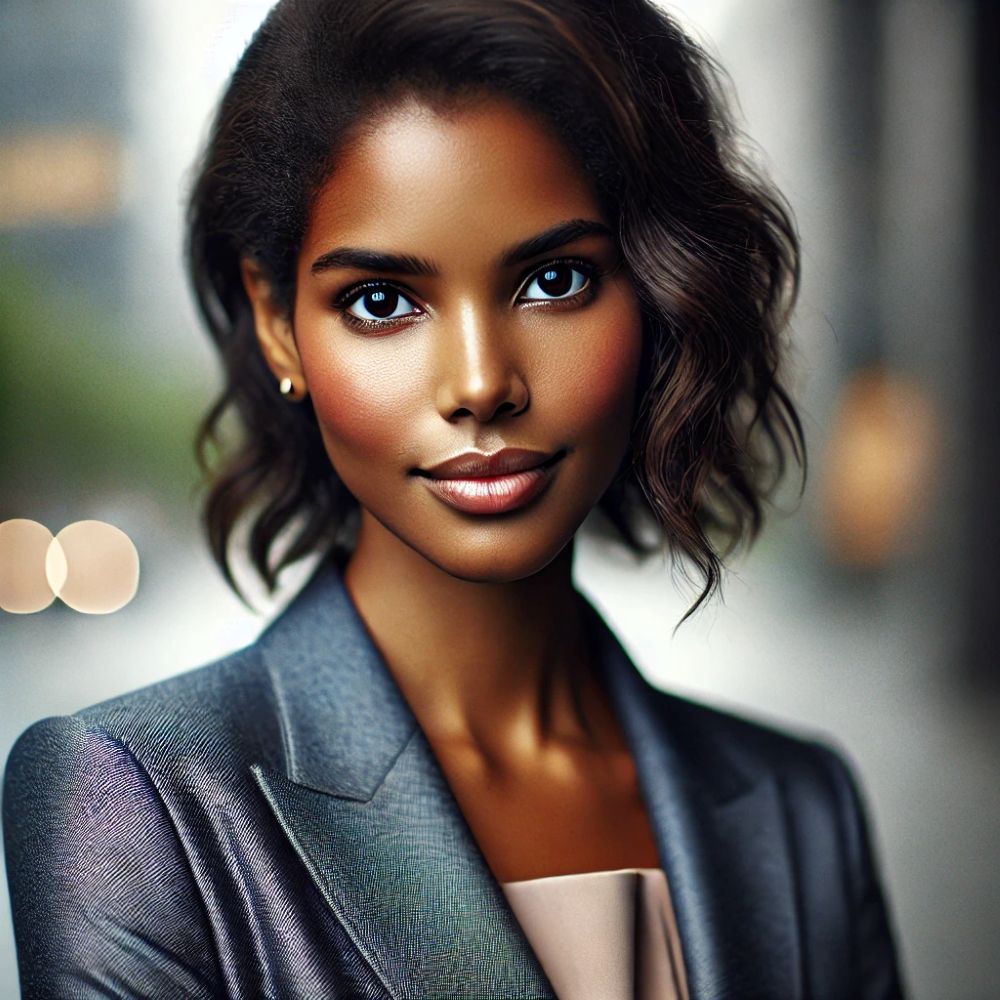
Portrait Photography: The v6 model has dramatically improved portrait generation, producing faces with realistic features, appropriate expressions, and natural lighting. Portraits look professional and emotionally resonant, making them suitable for use in marketing materials or profile pictures.
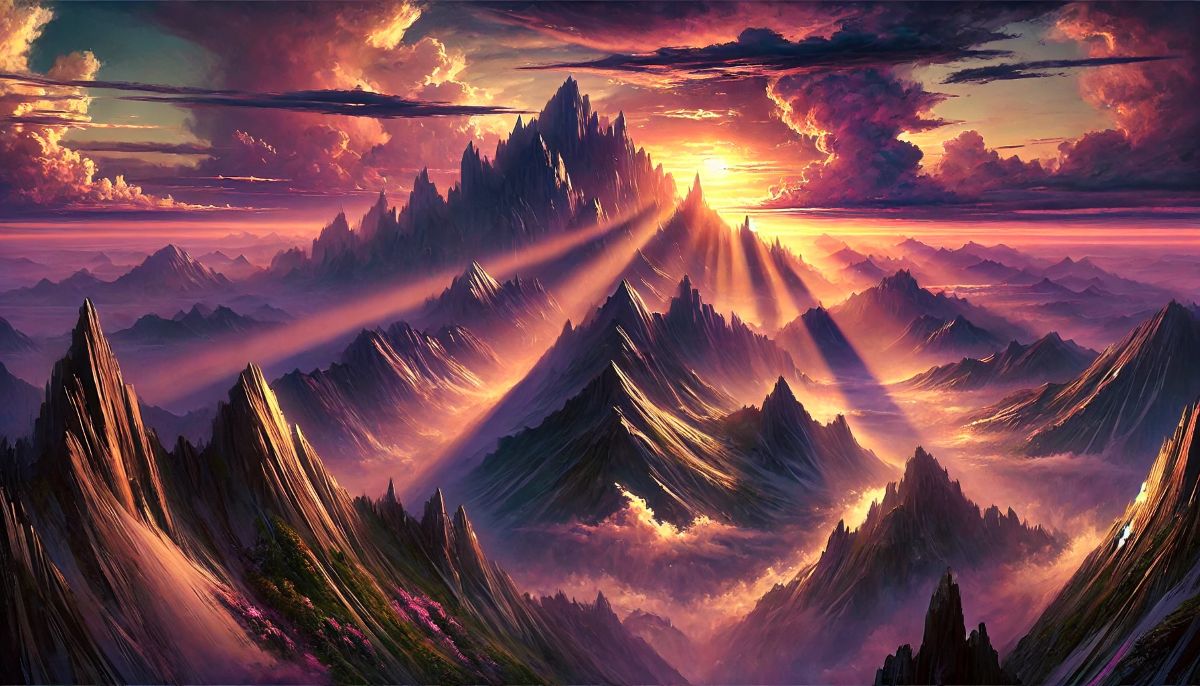
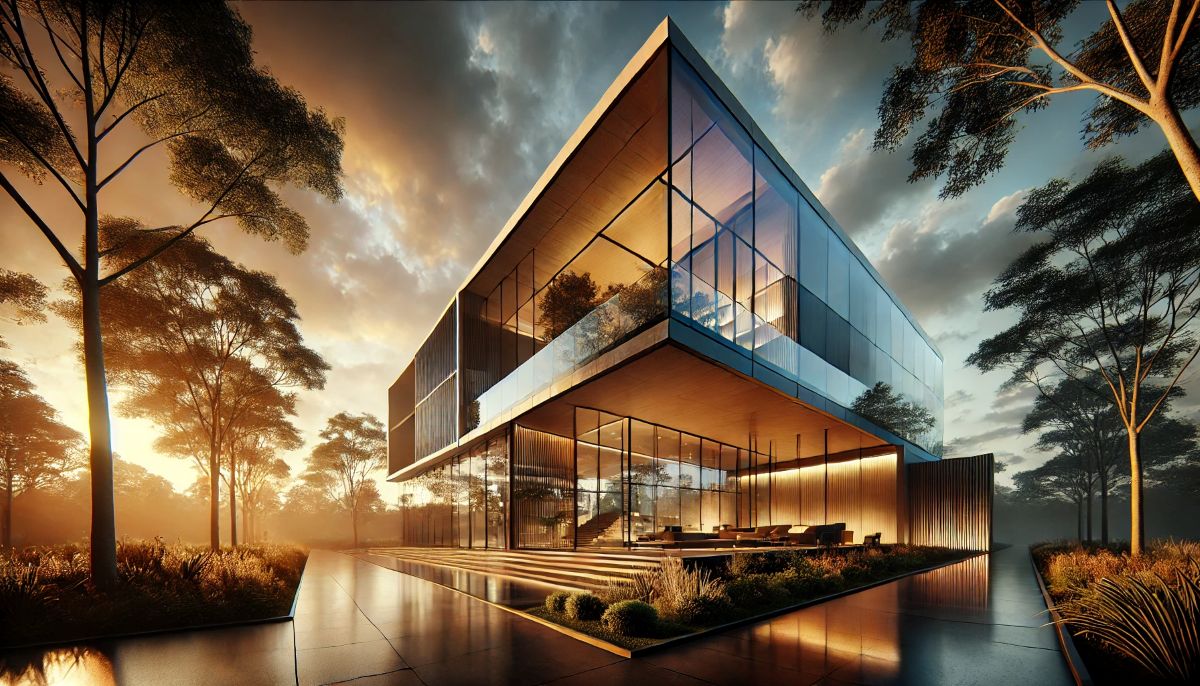
Landscape and Architecture: Midjourney creates breathtaking landscape images with proper perspective, atmospheric effects, and realistic environmental details. Architectural renderings show impressive detail and structural accuracy, useful for concept visualization or creative projects.
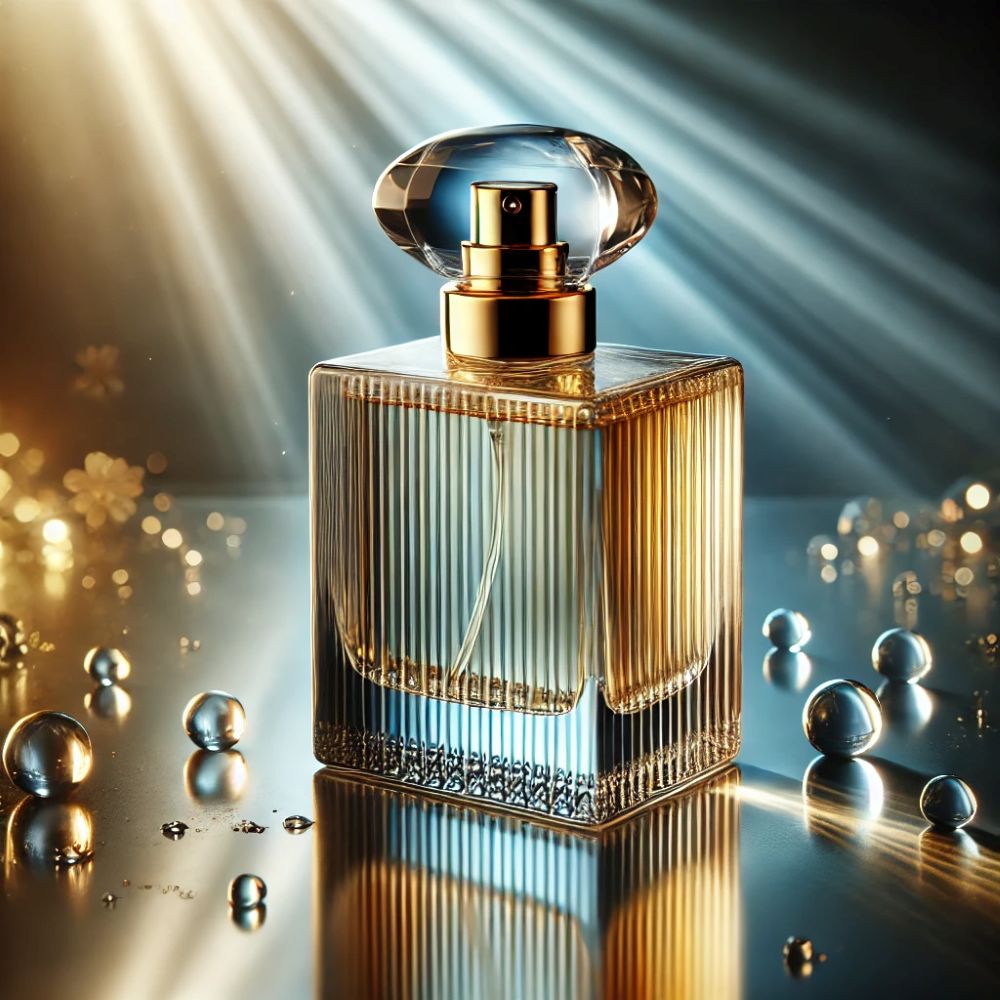
Product Photography: For marketing and e-commerce, Midjourney can generate professional-looking product shots with proper lighting, shadows, and backgrounds. While it may require several iterations to get exactly right, the results often rival stock photography.
Where Midjourney Has Limitations:
Text Integration: While improving, Midjourney still struggles with generating accurate text within images. Logos, signs, or text overlays often contain gibberish or spelling errors, requiring post-editing in tools like Photoshop.
Precise Prompt Following: Midjourney prioritizes aesthetic quality over literal prompt interpretation. Sometimes it takes creative liberties that don’t match your exact specifications, requiring multiple generation attempts or prompt refinement.
Hands and Complex Anatomy: Though much better in v6, hands, fingers, and complex body positions can still occasionally look unnatural or have incorrect anatomy. This requires careful prompt engineering or using the variation feature multiple times.
Comparing Quality Across Use Cases:
- Marketing Materials: 9/10 – Excellent for hero images, backgrounds, and creative assets
- Social Media Content: 10/10 – Perfect for eye-catching posts and stories
- Concept Art: 10/10 – Industry-leading quality for visualization and ideation
- Web Design: 8/10 – Great for backgrounds and featured images; text requires external tools
- Product Photography: 7/10 – Good for concept work; may need refinement for e-commerce
- Illustration: 10/10 – Exceptional artistic quality across all styles
Midjourney Pros & Cons
✅ Pros
- Exceptional Artistic Quality: Best-in-class image aesthetics with strong composition and visual appeal that often surpasses competitors
- Rapid Generation Speed: Creates four high-quality images in ~60 seconds, making iterative creative work efficient and productive
- Strong Community: Active Discord community provides inspiration, learning opportunities, and real-time feedback from other creators
- Commercial License Included: All paid plans include full commercial usage rights without additional fees or complicated licensing terms
- Consistent Updates: Regular model improvements and new features show strong commitment to advancement and user experience
- Versatile Style Range: Handles everything from photorealism to abstract art, anime to architectural visualization with impressive quality
- Unlimited Relax Mode: Even the Basic plan includes unlimited slow generations, perfect for experimentation and learning
- Professional Results: Images are suitable for professional use in marketing, design, and commercial projects without obvious AI artifacts
❌ Cons
- No Free Plan: Discontinued free trial means you must commit to paid subscription without testing the platform first, which may deter some users
- Discord Dependency: Requires Discord account and understanding of Discord interface, creating a steeper learning curve than web-only platforms
- Text Generation Issues: Struggles to generate accurate text within images, requiring external editing tools for logos, signs, or typography
- Limited Free Control: Less control over specific elements compared to traditional design software; you guide the AI but don’t have pixel-level control
- Generation Limits: Basic plan’s 200 fast generations (~7 per day) may feel restrictive for professional users creating client work daily
- No Image Editing: Cannot directly edit generated images within the platform; must use external tools for modifications or corrections
- Public by Default: Generations are publicly visible in Discord and web gallery unless you have Standard or Pro plan with stealth mode
- Variable Prompt Accuracy: Sometimes interprets prompts artistically rather than literally, requiring multiple attempts to achieve specific results
Midjourney vs Competitors: How Does It Stack Up?
Midjourney vs DALL-E 3
DALL-E 3 (available through ChatGPT Plus) offers different strengths compared to Midjourney. DALL-E 3 excels at precise prompt following and photorealism, with better text integration and more predictable results. It’s more accessible through the ChatGPT interface and doesn’t require Discord.
However, Midjourney typically produces more visually stunning and artistic images with superior composition. Midjourney’s aesthetic quality often feels more “professional” and polished, while DALL-E 3 prioritizes accuracy and literalism. For creative projects prioritizing visual impact over precise specifications, Midjourney is generally superior.
Choose Midjourney if: You prioritize artistic quality, need commercial licenses, or want a vibrant community
Choose DALL-E 3 if: You need precise prompt control, prefer a simple interface, or already subscribe to ChatGPT Plus
Midjourney vs Stable Diffusion
Stable Diffusion is open-source and can be run locally, offering maximum control and customization. It’s free to use and highly flexible with custom models, but requires technical knowledge and powerful hardware for local installation.
Midjourney offers superior out-of-the-box quality and much easier setup. While Stable Diffusion provides more control and zero ongoing costs, Midjourney’s convenience, speed, and consistent quality make it more practical for most users who aren’t technical specialists.
Choose Midjourney if: You want convenience, consistent quality, and don’t want to manage technical setup
Choose Stable Diffusion if: You’re technically proficient, want complete control, or need a zero-cost solution
Comparison Table
| Feature | Midjourney | DALL-E 3 | Stable Diffusion |
|---|---|---|---|
| Starting Price | $10/month | $20/month (ChatGPT Plus) | Free (local) or $10-20/month (cloud) |
| Image Quality | ⭐⭐⭐⭐⭐ | ⭐⭐⭐⭐½ | ⭐⭐⭐⭐ (varies) |
| Ease of Use | ⭐⭐⭐⭐ | ⭐⭐⭐⭐⭐ | ⭐⭐ |
| Artistic Style | Excellent | Good | Excellent (with custom models) |
| Commercial Rights | ✅ Included | ✅ Included | ✅ Yes (open source) |
| Text in Images | Weak | Good | Weak |
| Best For | Artists, designers, marketers | Quick generation, precise needs | Technical users, developers |
For a comprehensive comparison of all major AI image generators, check out our guide to the best AI image generators in 2026.
Midjourney vs Free Alternatives: Is $10/Month Worth It?
With several free AI image generators available, is Midjourney’s $10/month subscription justified? Let’s compare objectively:
Free Alternative #1: Stable Diffusion XL
✅ Stable Diffusion Advantages:
- 100% free (local) or $10-20/month (cloud)
- Unlimited generations
- Complete customization with models
- No content restrictions
- Open-source flexibility
⚠️ Stable Diffusion Challenges:
- Requires technical setup + learning curve
- Needs powerful GPU ($500-2,000) for local use
- Lower quality out-of-the-box
- Time-consuming to master
- No built-in community or support
Verdict: Choose Stable Diffusion if you’re technically proficient and willing to invest setup time. Choose Midjourney if you want professional results immediately without technical hassle.
Free Alternative #2: Leonardo AI (Free Tier)
Leonardo AI offers a free tier with daily token limits:
- Free: ~150 images/month with daily token refresh
- Quality: Good, but inconsistent compared to Midjourney
- Interface: Web-based (easier than Discord)
- Best for: Casual users needing occasional images
Verdict: Leonardo’s free tier is perfect for hobbyists generating 3-5 images/week. Upgrade to Midjourney when quality and volume matter for professional work.
—
Free Alternative #3: Bing Image Creator (DALL-E 3)
Microsoft’s Bing Image Creator provides limited free access to DALL-E 3 technology:
- Free: 15-25 fast generations/day, then slow mode
- Quality: Excellent (DALL-E 3 powered)
- Limitations: No commercial license clarity, fewer features
- Best for: Testing AI image generation before committing
Verdict: Great for testing, but Midjourney offers better artistic quality and clear commercial rights for business use.
—
When Free Tools Are Enough:
💡 Stick with free alternatives if you:
- Generate fewer than 5 images per month
- Are learning AI art as a hobby
- Have unlimited time for technical setup
- Don’t need commercial usage clarity
- Can accept lower/inconsistent quality
- Discover other AI alternatives for Image generation: Playground, Canva, Adobe Firefly …
When Midjourney’s $10 Is Worth It:
💎 Upgrade to Midjourney if you:
- Need consistently high-quality results
- Generate images for business/clients
- Create 5+ images per week
- Value your time (setup + learning)
- Want clear commercial usage rights
- Need professional-grade aesthetics
Cost-Benefit Reality Check:
Consider this: If you value your time at $25/hour (modest professional rate):
- Learning Stable Diffusion: 10-20 hours = $250-500 in time cost
- Midjourney mastery: 2-3 hours = $50-75 in time cost
- Time difference: $200-425 saved by paying $10/month for ease of use
The math is clear: For professionals whose time has value, Midjourney’s $10/month subscription saves far more in time costs than it charges in fees.
🎯 Final Recommendation: Try free tools first if you’re curious about AI art. Upgrade to Midjourney ($10/month) when you need consistent quality for real projects. The convenience, quality, and time savings justify the investment for anyone generating images regularly.
Who Should Use Midjourney?
✅ Midjourney is Perfect For:
Content Creators and Social Media Managers: If you create content for blogs, YouTube thumbnails, Instagram posts, or marketing campaigns, Midjourney provides an endless supply of high-quality, eye-catching images. The visual impact of Midjourney images helps content stand out in crowded social feeds.
Graphic Designers and Art Directors: Designers use Midjourney for concept development, mood boards, and creative exploration. It’s excellent for generating ideas quickly, creating background elements, or producing reference images for client presentations.
Marketing Professionals: Marketers leverage Midjourney for ad creative, email headers, landing page images, and promotional materials. The commercial license and professional quality make it suitable for business use, and it’s far more cost-effective than stock photography or hiring photographers.
Small Business Owners: Entrepreneurs can create professional marketing materials without expensive design resources. From website graphics to product mockups, Midjourney helps small businesses compete visually with larger competitors at a fraction of the cost.
Authors and Publishers: Writers use Midjourney to visualize characters, create book covers, design chapter headers, or generate concept art for their stories. It’s particularly valuable for self-published authors working within tight budgets.
Game Developers and Concept Artists: The gaming industry uses Midjourney extensively for character design, environment concepts, texture references, and rapid ideation during early development stages.
❌ Midjourney May Not Be Ideal For:
Users Needing Exact Specifications: If you need precise control over every element or exact replica of specific objects, Midjourney’s artistic interpretation might be frustrating. Traditional design software or DALL-E 3 might be better choices.
Those Requiring Text-Heavy Designs: If your projects heavily feature text, logos, or typography, Midjourney’s current limitations with text generation mean you’ll need to use additional tools for post-production.
Budget-Conscious Hobbyists: Without a free plan, casual users who only need occasional images might find better value with free alternatives or pay-per-image models, though Midjourney’s $10/month Basic plan remains competitive.
Users Wanting Simple Interfaces: If you’re intimidated by Discord or prefer straightforward web interfaces, you might find Midjourney’s Discord-based workflow challenging initially, though the new web interface helps address this.
Enterprises Needing On-Premise Solutions: Large organizations with strict data privacy requirements might prefer self-hosted solutions like Stable Diffusion over cloud-based services, depending on their security policies.
Frequently Asked Questions About Midjourney
Is Midjourney worth $10 per month?
Yes, Midjourney is worth $10/month for most users who need high-quality AI images regularly. The Basic plan includes 200 fast image generations per month (approximately 7 per day) plus unlimited slow generations in Relax Mode, commercial usage rights, and access to the powerful v6 model.
To put this in perspective: professional stock photos typically cost $10-50 per image, while a single custom illustration from a freelancer might cost $100-500. With Midjourney, you get hundreds of professional-quality images for just $10/month. For content creators, designers, and marketers who generate images weekly, the ROI is exceptional.
The value becomes even clearer when you consider the time savings. Midjourney can produce concept art, marketing visuals, or social media images in minutes rather than hours or days. This efficiency makes it worthwhile for both professional and creative personal projects.
Does Midjourney have a free plan?
No, Midjourney discontinued its free trial in March 2023 due to overwhelming demand and misuse concerns. The lowest-priced option is the Basic subscription at $10/month (or $8/month if billed annually). While this means you can’t test the platform before committing, the entry price is relatively affordable compared to similar professional tools.
If you’re hesitant to commit, consider that the monthly plan doesn’t require a long-term contract, so you can subscribe for one month to evaluate whether it fits your needs, then decide whether to continue or cancel. The $10 investment provides enough generations to thoroughly test the platform’s capabilities.
How does Midjourney compare to DALL-E 3?
Midjourney and DALL-E 3 each have distinct strengths. Midjourney excels at artistic, stylized images with exceptional composition and aesthetic quality. It produces images that feel more “professional” and visually striking, making it ideal for creative projects, marketing materials, and artwork where visual impact is paramount.
DALL-E 3, accessible through ChatGPT Plus ($20/month), is better for realistic images and precise prompt following. It handles text within images more accurately and provides more predictable results when you need exact specifications. DALL-E 3 is also easier to use with its simple chat interface.
For most creative professionals prioritizing aesthetic quality and artistic interpretation, Midjourney offers superior results. However, if you need precise control and realistic imagery, DALL-E 3 might be preferable. Many power users subscribe to both platforms to leverage their respective strengths.
Can I use Midjourney images commercially?
Yes, all paid Midjourney subscribers have full commercial usage rights for images they generate. You can use Midjourney images in business projects, client work, marketing materials, products for sale, book covers, commercial websites, and any other commercial application without additional licensing fees or attribution requirements.
The only restrictions are that you cannot sell the images as stock photography or use them to train competing AI models. For standard commercial use cases like marketing, design, content creation, and product development, Midjourney’s licensing is straightforward and business-friendly.
This commercial license is automatically included in all paid plans (Basic, Standard, and Pro) without additional costs, making Midjourney an economical choice for businesses and freelancers who need commercial-grade imagery regularly.
Is Midjourney difficult to learn?
Midjourney has a moderate learning curve that most users overcome within a few hours of practice. The basic process—typing /imagine followed by a description—is simple. However, mastering effective prompt engineering and understanding parameters takes time and experimentation.
The Discord interface initially feels unfamiliar to users expecting a traditional website, but most users adapt quickly. The advantage of the Discord environment is that you can learn by observing other users’ prompts and results in real-time, which accelerates the learning process.
Midjourney provides extensive documentation, and the community actively shares tips and techniques. With a few hours of experimentation, most users can create impressive results. Mastering advanced techniques like multi-prompting and parameter adjustment comes with practice, but isn’t necessary for producing quality images.
What’s the difference between Fast and Relax Mode?
Fast Mode generates your images in approximately 60 seconds and counts against your monthly generation limit (200 for Basic, 900 for Standard, 1,800 for Pro). Use Fast Mode when you need quick results for time-sensitive projects or client work.
Relax Mode provides unlimited generations but places you in a queue, with generation times ranging from 2-10 minutes depending on system load. Relax Mode is perfect for experimentation, learning, creating variations, or any work where speed isn’t critical. It’s available on all subscription tiers.
Many users develop a workflow where they use Fast Mode for final production work and client deliverables, while using Relax Mode for exploration, testing prompts, and generating multiple variations. This approach maximizes the value of your subscription by conserving fast generations for when they’re truly needed.
Can Midjourney generate realistic photos?
Yes, Midjourney v6 can generate highly realistic photographic images, including portraits, landscapes, product photography, and architectural shots. The realism has improved dramatically with recent versions, and many Midjourney images are indistinguishable from actual photographs.
However, Midjourney’s artistic interpretation sometimes adds stylization even when you request “photorealistic” results. For the most realistic output, use detailed prompts specifying “photorealistic,” “4K photography,” “shot on [camera model],” or similar technical photography terms. You can also reduce the stylization parameter with --stylize 50 for more literal interpretations.
While Midjourney can create convincing photorealism, it particularly shines at artistic and stylized imagery. If your primary need is photorealistic images with precise control, DALL-E 3 might be more consistent, though Midjourney often produces more aesthetically compelling results even in photorealistic mode.
Is Midjourney better than free alternatives?
Midjourney is better than free alternatives for most users who create images regularly. Here’s the honest comparison:
Midjourney wins on:
- Quality: Superior artistic results and composition out-of-the-box
- Ease of use: 2-hour learning curve vs 10-20 hours for Stable Diffusion
- Consistency: Reliable results every time vs hit-or-miss with free tools
- Time savings: Instant professional results vs hours of tweaking
- Commercial clarity: Clear usage rights included
- Community: Active Discord for learning and inspiration
Free alternatives win on:
- Cost: $0 vs $10/month (if you have technical skills)
- Customization: Unlimited control with Stable Diffusion models
- No limits: Truly unlimited generations if running locally
- Privacy: Local generation keeps images private
Bottom line: If you generate 5+ images per week for business/content, Midjourney’s $10/month is easily justified by time savings alone. For hobbyists creating 1-2 images monthly, free alternatives may suffice.
The real question isn’t “Should I use free tools?” but “Is my time worth $10/month?” For most professionals, the answer is absolutely yes.
Is Midjourney better than DALL-E 3?
Midjourney and DALL-E 3 excel at different things, so “better” depends on your priorities:
Midjourney is better for:
- Artistic quality: More visually striking, stylized images
- Composition: Superior color theory and aesthetic balance
- Creative projects: Marketing materials, concept art, social media
- Cost: $10/month vs $20/month for ChatGPT Plus
- Image-only needs: If you don’t use ChatGPT for text
DALL-E 3 is better for:
- Photorealism: More literally accurate and realistic
- Text in images: Can render legible text (Midjourney can’t)
- Precise control: Follows prompts more literally
- Ease of use: Simple ChatGPT interface vs Discord
- Dual value: Includes GPT-4 AI assistant
Recommendation:
- Choose Midjourney if visual impact and artistic quality matter most
- Choose DALL-E 3 if you need precise control and already use ChatGPT
- Get both if you’re a power user ($30/month total) – many professionals do this
For most creative work (marketing, social media, content creation), Midjourney produces more eye-catching results. For business applications needing precision or text integration, DALL-E 3 is more reliable.
See our detailed AI image generator comparison for complete breakdown.
What happens if I cancel my Midjourney subscription?
When you cancel your Midjourney subscription:
- Access ends: You lose ability to generate new images when subscription expires
- Gallery stays: Your web gallery and past creations remain accessible forever
- Downloads available: You can still download all your previous images
- Commercial rights intact: Images you created while subscribed retain commercial usage rights
- Easy restart: You can resubscribe anytime with same account
Tip: Midjourney doesn’t penalize cancellation. Many users subscribe monthly during busy periods and pause during slower months, which is perfectly acceptable and cost-effective.
Can I upgrade or downgrade my Midjourney plan anytime?
Yes, Midjourney allows flexible plan changes:
- Upgrade: Takes effect immediately, you pay the difference prorated
- Downgrade: Takes effect at your next billing cycle
- No penalties: No fees for changing plans
- Smart strategy: Start with Basic ($10), upgrade to Standard ($30) only if you consistently hit the 200-image limit
Most users find the Basic plan sufficient. Upgrade only when you’re regularly using all 200 fast generations and relying heavily on Relax Mode.
How much does Midjourney actually cost per year?
Annual costs for Midjourney subscriptions:
- Basic monthly: $10 × 12 = $120/year
- Basic annual: $96/year ($8/month – saves $24)
- Standard monthly: $30 × 12 = $360/year
- Standard annual: $288/year ($24/month – saves $72)
- Pro monthly: $60 × 12 = $720/year
- Pro annual: $576/year ($48/month – saves $144)
Money-saving tip: Annual billing saves 20% compared to monthly. If you’re committed to using Midjourney for 6+ months, annual is worth it.
Value comparison:
- Adobe Creative Cloud: $659/year (Photography plan)
- Canva Pro: $120/year
- Midjourney Basic Annual: $96/year
- Midjourney delivers comparable visual quality at a fraction of traditional design tool costs.
Final Verdict: Is Midjourney Worth It in 2026?
Yes, Midjourney is absolutely worth it for creators, designers, and businesses who regularly need high-quality images. At $10/month for the Basic plan, it offers exceptional value compared to stock photography, freelance designers, or other creative resources. The platform delivers professional-grade results that rival human-created artwork at a fraction of the cost and time investment.
¨
Midjourney vs Alternatives: Quick Value Comparison
| Tool | Cost/Month | Artistic Quality | Ease of Use | Best For |
|---|---|---|---|---|
| Midjourney | $10 | ⭐⭐⭐⭐⭐ | ⭐⭐⭐⭐ | Creative pros |
| DALL-E 3 | $20 | ⭐⭐⭐⭐ | ⭐⭐⭐⭐⭐ | ChatGPT users |
| Stable Diffusion | Free* | ⭐⭐⭐⭐ | ⭐⭐ | Technical users |
| Leonardo AI (Free) | Free | ⭐⭐⭐½ | ⭐⭐⭐⭐ | Hobbyists |
| Stock Photos | $10-50/image | ⭐⭐⭐⭐ | ⭐⭐⭐⭐⭐ | One-off needs |
* Stable Diffusion is free locally but requires powerful GPU ($500-2,000) and technical expertise
Quick decision guide:
- ✅ Choose Midjourney: Best quality-to-price ratio for creative professionals ($0.05/image)
- ✅ Choose DALL-E 3: If you already need ChatGPT Plus ($20/month gets both)
- ✅ Choose Stable Diffusion: If you’re technical + want 100% free unlimited
- ✅ Choose Leonardo AI Free: If you generate <5 images/week as hobby
Midjourney’s Greatest Strengths:
- Industry-leading artistic quality and aesthetic composition
- Rapid generation speed that enables efficient iterative workflows
- Commercial licensing included without additional fees
- Active community providing inspiration and learning opportunities
- Regular updates and improvements showing commitment to excellence
- Unlimited Relax Mode generations for experimentation
Consider These Limitations:
- No free plan means you must commit to paid subscription
- Discord-based interface has a learning curve
- Text generation within images needs improvement
- Sometimes prioritizes aesthetics over literal prompt accuracy
Who Should Subscribe?
Midjourney is an excellent investment for:
- Content creators who need engaging visuals for blogs, social media, or YouTube
- Marketing professionals creating ad campaigns, landing pages, or promotional materials
- Designers and art directors working on concept development and client presentations
- Small business owners who need professional marketing materials on a budget
- Authors and publishers creating book covers, illustrations, or character concepts
Bottom Line
For $10/month, Midjourney provides access to one of the world’s most powerful AI image generation platforms. The combination of exceptional quality, commercial licensing, and relatively low cost makes it one of the best value propositions in creative tools today. The platform pays for itself if you generate even a handful of professional images per month.
If you create visual content regularly, generate images for business purposes, or want to explore AI art creation, Midjourney deserves your consideration. Start with the Basic plan to evaluate fit, and upgrade to Standard or Pro if you need higher generation volumes. The platform’s rapid evolution and strong community support suggest it will remain a leading AI image generator for years to come.