Quick Verdict: FlexClip Review (2026)
- 🏆 Best For: Beginners and content creators who need fast, polished videos without a learning curve
- 💰 Pricing: Free plan available — Plus from $11.99/mo (annual), Business from $19.99/mo (annual)
- 🆓 Free Tier: Yes — 720p exports, 10-minute limit, watermark, 12 projects max
- ⭐ Quality Score: 4.3/5 based on editing tools, AI features, templates, and value
- 💡 Bottom Line: FlexClip is the strongest browser-based video editor for non-professionals who want AI-powered creation, 5,000+ templates, and fast export times at a competitive price point
🧪 Key Takeaways
- Tested: 30+ hours of hands-on video creation across marketing, social media, and tutorial content
- Standout Feature: AI Text-to-Video and AI Recreate (launched late 2025) cut production time by up to 70%
- Template Library: 5,000+ professionally designed, fully customizable templates
- Key Limitation: No multi-track video editing — single video track only, which limits advanced workflows
- Price range: $0 (Free) — $19.99/month (Business, annual billing)
- Verdict: This FlexClip review confirms outstanding value for social media creators, marketers, and educators — not a replacement for professional desktop editors
SmartTrendsAI is an independent platform that tests, compares, and reviews AI tools for marketing, content creation, SEO, and productivity. This FlexClip review is based on 30+ hours of hands-on testing across multiple content formats during 2025 and 2026.
📑 Table of Contents
What Is FlexClip?
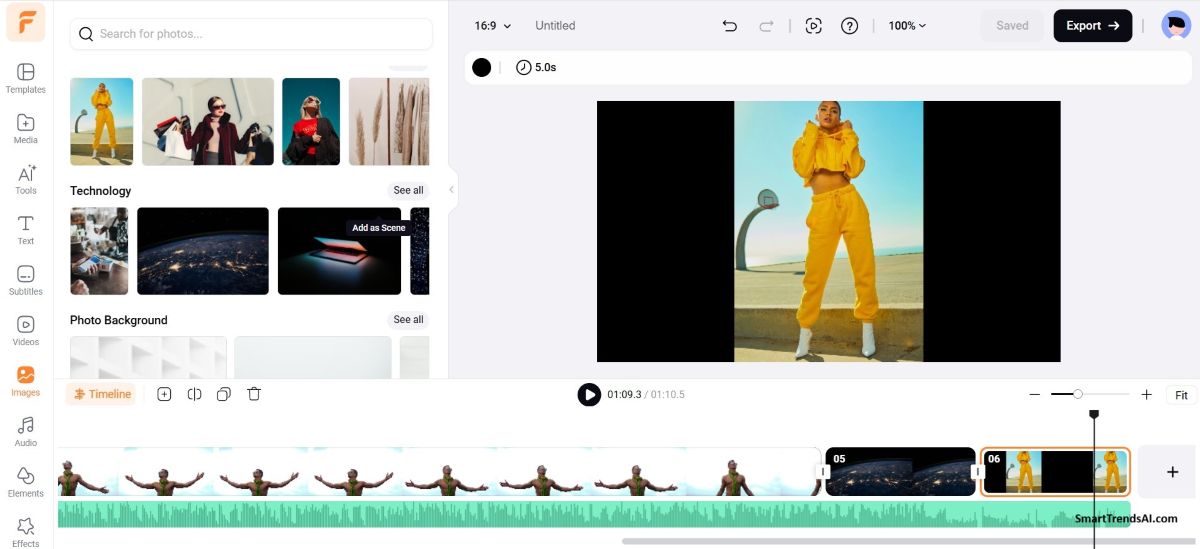
FlexClip is a browser-based AI video editor developed by PearlMountain Limited that enables users to create professional-quality videos without downloading software or learning complex timelines. In this FlexClip review, we examine how the platform stands out in the crowded AI video tools market thanks to its intuitive drag-and-drop interface, a massive template library of over 5,000 designs, and a growing suite of AI-powered creation features.
The platform runs entirely in your browser — Windows, Mac, Linux, or Chromebook — and targets content creators, small business owners, marketers, educators, and anyone who needs polished video output without investing weeks learning Adobe Premiere or DaVinci Resolve. FlexClip in 2026 is a fundamentally different product than it was two years ago, thanks to landmark AI features like AI Recreate and Auto Edit announced in late 2025.
Think of FlexClip as the Canva of video editing: template-first, AI-assisted, and built for speed over advanced control. If you have used Canva for graphic design, the FlexClip workflow will feel immediately familiar.
🚀 Ready to Try FlexClip?
As our FlexClip review shows, you can start with the free plan to explore 5,000+ templates and AI tools — no credit card required. Upgrade to Plus for watermark-free 1080p exports starting at $11.99/month.
Who Is FlexClip Best For?
Based on our FlexClip review testing, the platform delivers the strongest results for these user types:
- Social media creators — Produce Instagram Reels, TikToks, YouTube Shorts, and LinkedIn videos using pre-built templates optimized for each platform’s aspect ratio
- Small business owners — Create promotional videos, product demos, and customer testimonials without hiring a videographer or learning professional software
- Marketing teams — Rapidly produce branded video content for campaigns, ads, and email marketing. The Brand Kit feature ensures visual consistency across all outputs
- Educators and course creators — Build tutorial videos, lecture recordings (using the built-in screen recorder), and educational content with auto-subtitles
- Bloggers and writers — Convert written content into video format to expand distribution across YouTube and social channels
Who should avoid FlexClip: Our FlexClip review also found clear limitations for professional video editors needing multi-track timelines, advanced color grading, or cinema-level effects. FlexClip operates on a single video track, which limits complex layering workflows. For professional-grade AI video tools, platforms like Runway Gen-3 or 4,5 or dedicated desktop editors remain better suited.
What Features Does FlexClip Offer?
FlexClip packages an impressive range of capabilities into a single browser-based platform. Here are the core features we evaluated during our FlexClip review:
Template Library (5,000+ Designs)
The template collection is FlexClip’s strongest asset, and a highlight of this FlexClip review. Over 5,000 professionally designed templates cover virtually every video format: business promotions, real estate showcases, corporate presentations, news segments, social media stories, YouTube intros/outros, and more. In our testing, template quality rivals what mid-tier video agencies produce — and every element (text, colors, media, music, transitions) is fully customizable.
Core Video Editing Tools
FlexClip covers all essential editing operations: trim, split, merge, crop, rotate, speed adjustment, and transitions. The drag-and-drop timeline is approachable for beginners, and the learning curve is minimal — most users can produce a finished video within 15–20 minutes on their first session. The built-in screen and webcam recorder eliminates the need for third-party recording software when creating tutorials or demos.
Stock Media Library
All paid plans include access to FlexClip’s premium stock library — millions of royalty-free videos, photos, and audio tracks. The Business plan unlocks unlimited stock video and audio per project. The free plan restricts you to 1 stock video and 1 stock audio per project.
Text Editor and Dynamic Animations
The text editor deserves special attention. FlexClip provides an exceptional variety of dynamic text styles and animations that transform basic text overlays into attention-grabbing elements. For creators producing social media content where text needs to pop, this feature alone saves significant time compared to manual keyframing in traditional editors.
Brand Kit
Available on Plus and Business plans, the Brand Kit lets you save brand colors, logos, fonts, and templates for consistent video output across your organization. Teams producing ongoing video content for marketing and social media will find this essential for maintaining brand coherence.
For creators looking to enhance their video scripts with better prompts, our AI Prompt Generator can help craft detailed prompts for text-to-video features. You can also browse ready-made templates in our Prompt Presets Library for instant inspiration.
How Good Are FlexClip’s AI Tools?
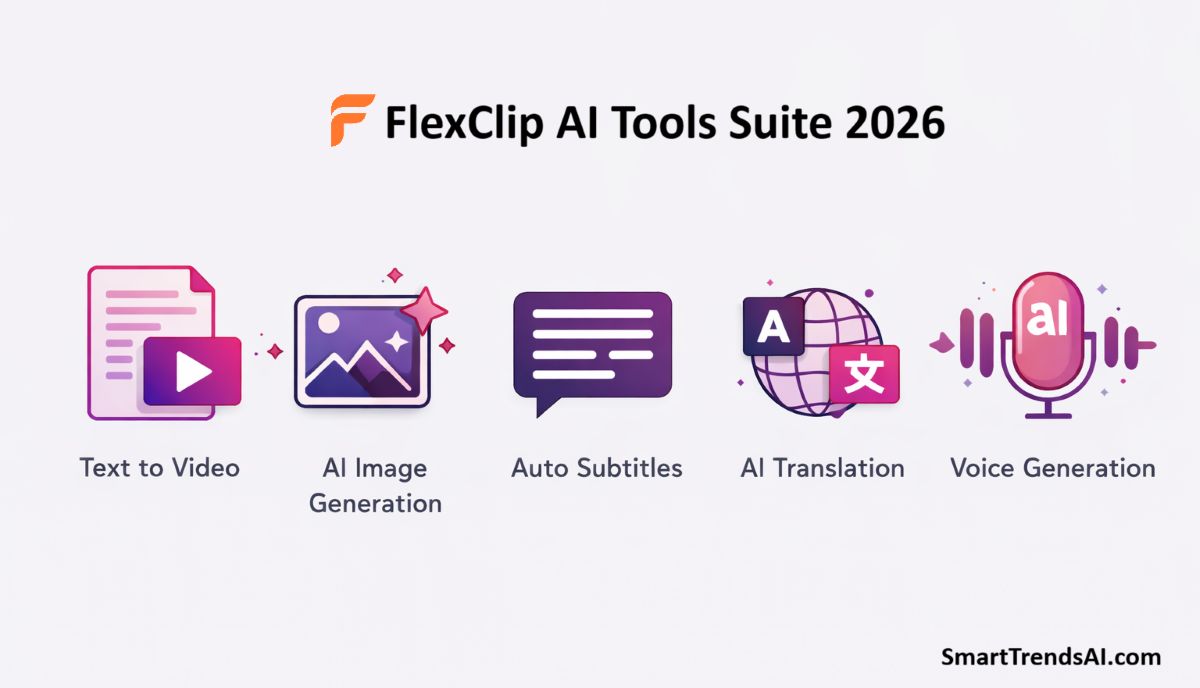
AI is where FlexClip has made its biggest leap in 2026. A central finding of our FlexClip review is that AI is no longer an afterthought here — it is woven throughout the entire video creation workflow. Here is how each AI feature performed in our testing:
AI Text-to-Video
Type a prompt or paste a script, and FlexClip generates a complete video with scenes, transitions, text overlays, and background music. In our testing, this feature produced usable first drafts in under 2 minutes for social media promos and blog-to-video content. The output requires manual refinement — scene selection, timing adjustments, and text cleanup — but it reduces production time by approximately 60–70% compared to building from scratch.
AI Recreate and Auto Edit (New in Late 2025)
These landmark features represent the biggest advancement uncovered in our FlexClip review. AI Recreate allows you to upload your own footage, select a template, and have the AI automatically match your media to the template’s structure, timing, and transitions. Auto Edit analyzes your raw footage and assembles a polished edit using AI. For content creators producing recurring video series, this combination is transformative.
AI Image-to-Video
Upload a static image and FlexClip animates it into a video with motion effects. This feature works well for turning blog graphics, product photos, or AI-generated images into engaging video content for social platforms.
Auto Subtitles
FlexClip generates automatic captions for your videos. In our tests, accuracy landed around 85–90%, so proofreading is necessary. Given that an estimated 80% of social media viewers watch videos without sound, auto-subtitles are essential for engagement — and FlexClip handles this well enough to save significant manual captioning time.
AI Text-to-Speech
Convert written scripts into voiceover narration. The voice quality is functional for tutorials and explainers, though it doesn’t match the natural sound of dedicated text-to-speech platforms. For quick projects where hiring a voice actor isn’t practical, this feature works.
AI Translator
Translate your video’s speech, text, and captions into multiple languages while maintaining timing synchronization. For creators targeting international audiences, this feature can expand reach significantly without producing separate video versions manually.
Additional AI Tools
FlexClip also includes AI background removal, AI image-to-image style transfer (convert photos into sketches, cartoons, or paintings), AI object removal, face swap, chroma key (green screen), photo colorization, and AI script generation. The breadth of AI tools available in a single subscription is impressive — most competitors charge separately for similar capabilities.
FlexClip operates on an AI credits system. The Plus plan includes 3,600 AI credits per year as a bonus, while the Business plan provides 9,600 credits annually. Additional credits can be purchased as one-time packages or monthly subscriptions if your AI usage exceeds the included allotment.
How Much Does FlexClip Cost in 2026?
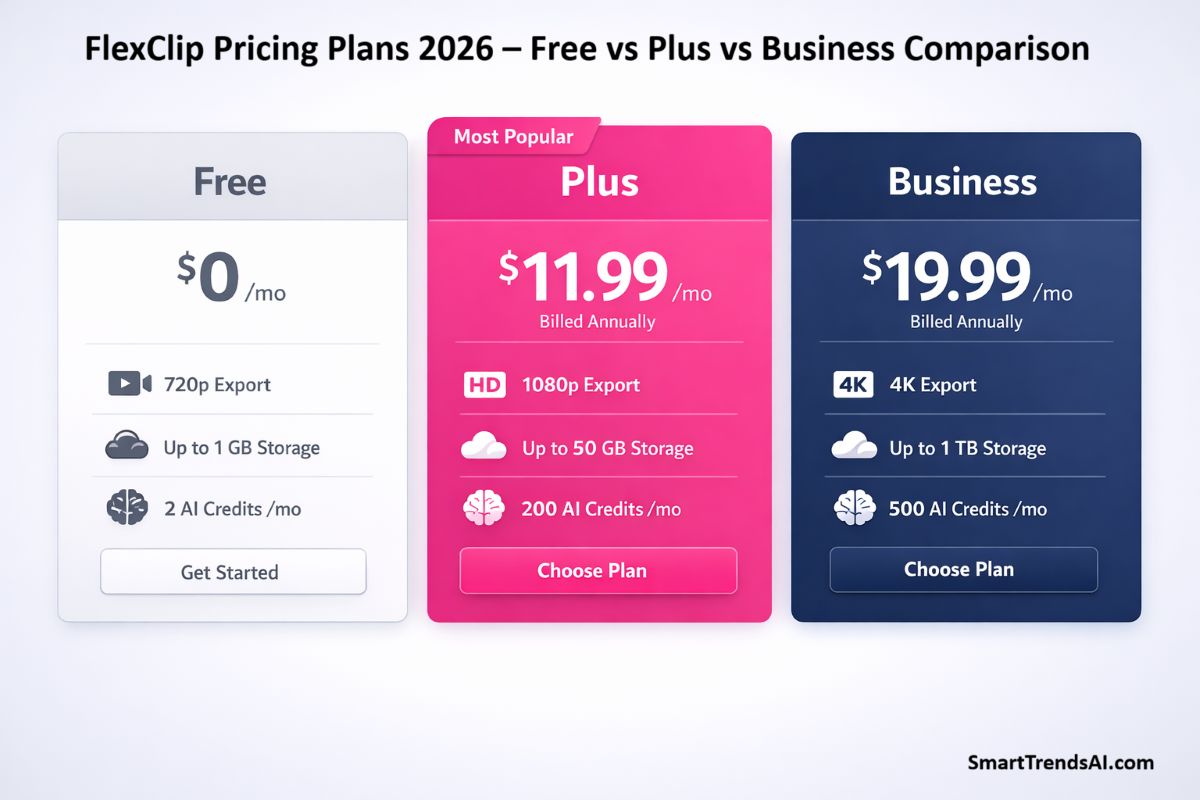
FlexClip offers three core plans with significant savings on annual billing. All pricing in this FlexClip review reflects official rates from FlexClip’s website, verified in March 2026:
| Feature | Free | Plus | Business |
|---|---|---|---|
| Monthly Price | $0 | $19.99/mo | $29.99/mo |
| Annual Price | $0 | $11.99/mo ($143.88/yr) | $19.99/mo ($239.88/yr) |
| Export Quality | 720p | 1080p Full HD | 4K Ultra HD |
| Video Length | Up to 10 min | Unlimited | Unlimited |
| AI Credits Bonus | Limited trial | 3,600/yr | 9,600/yr |
| Stock Video/Project | 1 | 5 | Unlimited |
| Stock Audio/Project | 1 | 5 | Unlimited |
| Cloud Storage | — | 30 GB | 100 GB |
| Video Hosting | 1 video | 100 GB | 1 TB |
| Projects | 12 max | Unlimited | Unlimited |
| Custom Templates | — | 100 | 200 |
| Brand Kit | — | ✅ | ✅ |
| Custom Fonts | — | ✅ | ✅ |
| Watermark | FlexClip watermark | No watermark | No watermark |
AI Credits Pricing (Separate from Plans)
If you need additional AI credits beyond the plan bonuses, FlexClip offers two purchasing options:
One-Time Credit Packages:
- 300 credits — $14.99 ($0.050/credit)
- 800 credits — $24.99 ($0.031/credit)
- 1,400 credits — $34.99 ($0.025/credit)
- 2,500 credits — $54.99 ($0.022/credit)
Monthly Credit Subscriptions (Annual Billing):
- 300/mo — $9.99/mo ($0.033/credit)
- 800/mo — $19.99/mo ($0.024/credit)
- 1,400/mo — $29.99/mo ($0.021/credit)
- 2,500/mo — $39.99/mo ($0.015/credit)
One-time credits remain valid for 365 days from purchase. All AI credits work across every FlexClip AI tool — video generation, image creation, restoration, and more.
Which Plan Should You Choose?
Our FlexClip review recommendation: The Plus plan at $11.99/month (annual) delivers the strongest value for most users. It removes the watermark, unlocks 1080p exports, provides unlimited video length, and includes 3,600 AI credits. The Business plan is worth the upgrade only if you need 4K output, unlimited stock media, or the larger 1 TB hosting space.
For a broader pricing comparison across AI productivity tools, see how FlexClip stacks up in our detailed FlexClip review comparison guides.
What Are the Pros and Cons of FlexClip?
✅ Advantages
- Zero learning curve: Drag-and-drop interface that Canva users will master in minutes — our team produced a finished video in under 20 minutes on the first attempt
- Massive template library: 5,000+ professional templates covering every use case from social ads to corporate presentations
- Comprehensive AI suite: Text-to-video, auto subtitles, AI Recreate, script generation, image-to-video, and translation tools in one subscription
- Competitive pricing: Plus plan at $11.99/mo (annual) undercuts most competitors while including 1080p exports and AI credits
- No installation required: Runs entirely in-browser on any operating system, with cloud-based export processing
- Built-in screen recorder: Record screen and webcam directly in the editor — no additional software needed for tutorials
- 4K support on Business plan: Ultra HD export quality for professional marketing and presentation videos
- Brand Kit included: Save logos, colors, and fonts for consistent team output across all projects
❌ Limitations
- Single video track only: No multi-layer video editing, which limits advanced compositing and picture-in-picture workflows
- Requires stable internet: As a cloud-based tool, all editing depends on connection quality — offline editing is impossible
- AI credit system adds cost: Heavy AI users may exhaust included credits quickly, requiring additional purchases at $0.015–$0.050 per credit
- Auto-subtitle accuracy ~85–90%: Manual proofreading is essential, especially for technical or accented content
- Performance with complex projects: Browser-based editing can lag with media-heavy timelines, a common trade-off for cloud tools
- Free plan watermark: FlexClip branding on all free exports limits professional use without a paid subscription
- No desktop app: Some users prefer offline desktop applications for reliability and performance
How Does FlexClip Compare to Alternatives?
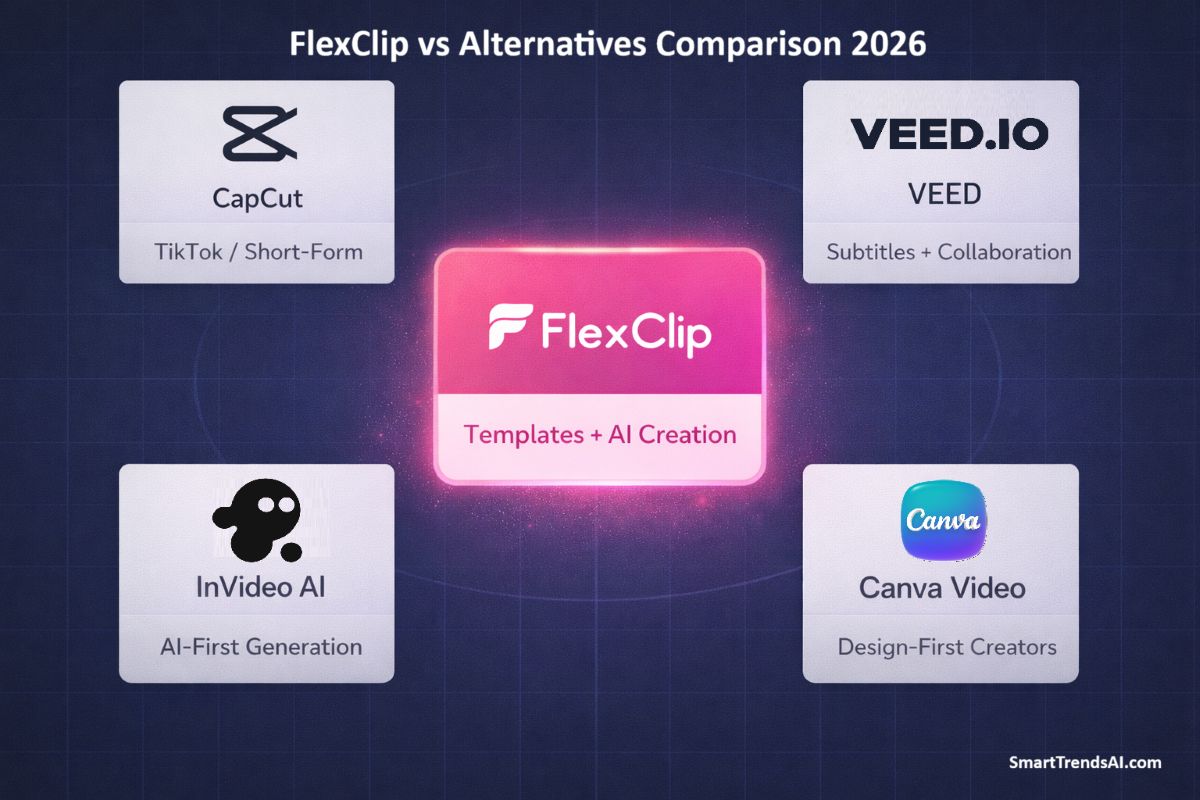
We tested FlexClip alongside the leading browser-based and AI video editors to give this FlexClip review proper context. Here is how it stacks up:
| Tool | Best For | Free Tier | Price (Annual) | Max Resolution | Rating |
|---|---|---|---|---|---|
| FlexClip | Templates + AI creation | Yes (720p) | $11.99/mo | 4K | ⭐ 4.3/5 |
| CapCut | TikTok/short-form | Yes | $7.99/mo | 4K | ⭐ 4.4/5 |
| VEED | Subtitles + collaboration | Yes (watermark) | $18/mo | 4K | ⭐ 4.3/5 |
| InVideo AI | AI-first video generation | Yes (watermark) | $25/mo | 1080p | ⭐ 4.2/5 |
| Pictory | Blog-to-video | Trial | $19/mo | 1080p | ⭐ 4.1/5 |
| Canva Video | Design-first creators | Yes | $12.99/mo | 1080p | ⭐ 4.2/5 |
FlexClip vs CapCut
CapCut is TikTok’s free editor and excels at short-form social content. In our FlexClip review testing, FlexClip wins on template variety, AI feature breadth, and business-oriented tools like Brand Kit and video hosting. For social-media-only creators on a tight budget, CapCut is the better choice. For diverse content needs across marketing, education, and business, FlexClip delivers more versatility.
FlexClip vs VEED
VEED is FlexClip’s closest direct competitor. Both offer browser-based editing, subtitles, and AI features. During our FlexClip review, the platform edged ahead with its expanded AI generation suite and AI Recreate functionality. VEED has a slight advantage in audio editing depth and team collaboration features. FlexClip wins on pricing — the Plus plan costs significantly less than VEED’s comparable tier.
FlexClip vs Canva Video
If you already pay for Canva Pro, the built-in video editor may suffice for basic needs. However, our FlexClip review reveals a much deeper video-specific toolset: more templates designed for video (not adapted from static designs), superior AI video features, and dedicated video hosting. For serious video creation, FlexClip is the stronger platform.
For more in-depth AI video tool comparisons, see our Best AI Video Generators 2026 pillar guide.
READ ALSO: For Best Avatar Video Generatos HeyGen and Synthesia AI Reviews.
Frequently Asked Questions
Is FlexClip free to use?
Yes. FlexClip offers a permanent free plan with 720p exports, up to 10-minute video length, 12 project slots, and limited trial access to AI features. The trade-off is a FlexClip watermark on all exports and restricted stock media (1 video and 1 audio per project). For professional use without watermarks, our FlexClip review recommends the Plus plan starting at $11.99/month on annual billing.
Is FlexClip good for beginners?
FlexClip is one of the most beginner-friendly video editors available. Based on SmartTrendsAI’s FlexClip review testing, a complete beginner can produce a finished, polished video within 15–20 minutes on their first session. The drag-and-drop interface, template-first workflow, and AI-assisted creation features eliminate the steep learning curve associated with professional editors like Premiere Pro or DaVinci Resolve.
Can FlexClip export in 4K?
Yes, but only on the Business plan ($19.99/month, annual billing). The Plus plan supports 1080p Full HD, and the free plan is limited to 720p. For most social media, YouTube, and web use cases, 1080p is sufficient — 4K is primarily valuable for presentations displayed on large screens or when future-proofing high-production-value content.
How does FlexClip compare to Canva for video?
FlexClip is the stronger option for dedicated video creation. Our FlexClip review found that the platform provides a deeper video-specific toolset: 5,000+ video templates, AI text-to-video, AI Recreate, auto subtitles, dedicated video hosting (up to 1 TB), and a timeline editor built specifically for video workflows. Canva’s video features work well for simple projects, but FlexClip wins for creators who prioritize video as their primary content format.
Does FlexClip work offline?
No. FlexClip is entirely cloud-based and requires an active internet connection for all editing, rendering, and export operations. This is both a strength (no installation, works on any device) and a limitation (no offline editing capability). If offline editing is essential for your workflow, a desktop application like Filmora or DaVinci Resolve is the better choice.
What are FlexClip AI credits and how do they work?
AI credits are FlexClip’s currency for AI-powered features. Every AI operation — text-to-video generation, auto subtitle creation, image-to-image transformation, AI translation — consumes a certain number of credits. As detailed in our FlexClip review pricing section, the Plus plan includes 3,600 bonus credits per year, and the Business plan includes 9,600. Additional credits can be purchased separately as one-time packages (from $14.99 for 300 credits) or monthly subscriptions (from $9.99/month for 300 credits/month). Credits from one-time packages are valid for 365 days.
Is FlexClip safe and legitimate?
Yes. FlexClip is developed by PearlMountain Limited, an established software company. The platform has millions of users worldwide and holds a strong TrustPilot rating based on thousands of verified reviews. Your projects and media are stored securely in the cloud, and the platform uses standard encryption for data protection.
Can I use FlexClip for commercial purposes?
Yes. All paid plans include commercial usage rights for videos you create. The Business plan additionally includes reseller rights. The free plan does not include reseller rights, but you can use free-plan videos for your own business marketing and social media.
🏆 Final Verdict: Is FlexClip Worth It in 2026?
Based on SmartTrendsAI’s extensive FlexClip review testing, the platform earns a solid recommendation for anyone who needs fast, professional-quality video creation without the complexity or cost of traditional editing software.
🥇 Best For
Content creators and marketers — The AI-assisted template workflow produces polished videos in minutes, not hours
💰 Best Value Plan
Plus at $11.99/mo (annual) — 1080p, no watermark, 3,600 AI credits, unlimited projects and video length
🆓 Free Tier Verdict
Solid for testing — Explore templates and AI tools risk-free, but the watermark and 720p limit push serious users to the Plus plan
⚠️ Skip If
You need multi-track editing — Professional editors requiring advanced compositing should look at desktop tools or Runway Gen-3
As this FlexClip review demonstrates, the platform occupies a smart position in the AI video market: accessible enough for complete beginners, powerful enough for small business and marketing teams, and priced competitively against direct rivals. The 2025/2026 AI feature additions — AI Recreate, Auto Edit, and the expanded AI generation suite — have elevated it from a simple template editor to a legitimate AI-powered video creation platform.
Our FlexClip review score: 4.3/5 — Excellent for the target audience, with the single-track limitation preventing it from competing with professional desktop editors.